Electric Field Exercise 3— Preparing the Mesh
1. In the Flow Analysis Tree, select Domains.
2. In the Properties panel, Mesh tab, for Mesh Generation, type the following values:
◦ Mesh Location— All Volumes
◦ Bounding Box Margins— Uniform
Size– 1
◦ Maximum Cell Size—0.05
◦ Minimum Cell Size—0.0004
◦ Cell Size on Surfaces—0.005
The values are retained as default settings. You can change these if required.
3. Click  Generate Mesh to create the mesh for the fluid domain.
Generate Mesh to create the mesh for the fluid domain.4. Under Domains select all entities. In the View panel, click  Show to display the selected domains.
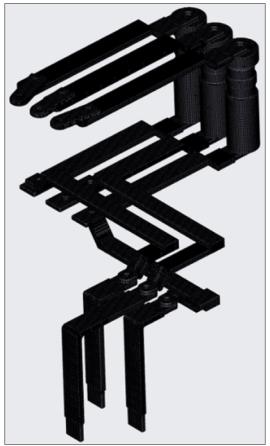
Show to display the selected domains.5. In the Properties panel, View tab, set Grid, and Outline to Yes. The mesh appears as shown in the following figure.
Mesh for the solid domain
Separating Interfaces
To apply Electric Field and Heat boundary conditions,
1. In the Flow Analysis Tree, under Boundary Conditions, click on Interfaces.
2. Right-click and then select Separate Interface for CURRENT_INLET_1, CURRENT_INLET_2, CURRENT_INLET_3, CURRENT_OUTLET_1, CURRENT_OUTLET_2, and CURRENT_OUTLET_3.
3. The interfaces are separated to form boundaries.
 | Interfaces are separated so that temperature boundary conditions can be assigned to solid boundaries. |