Viewing Cross Sections in Creo Ansys Simulation Results
You can create and view clipped contour plot results along any cross section of a model.
To create a cross section on an active result perform the following steps:
1. From the Model Tree, select a result. Right-click  to activate the result.
to activate the result.2. Click Section to open the Section tab.
3. Select a reference along which you want to view a section of the results.
4. Move the 3D dragger to dynamically view the clipped results along the section of the reference
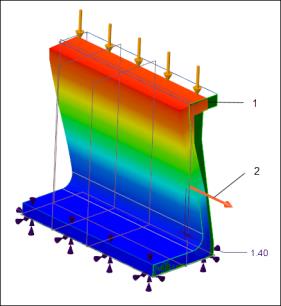 1. Reference plane for cross section 2. 3D dragger | 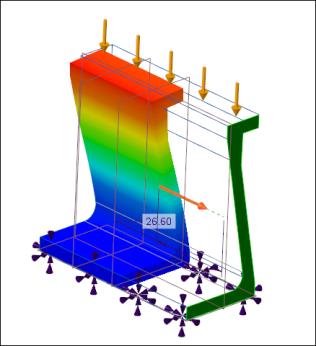 Pull the dragger along the reference direction to view clipped results |
5. Click  OK to save the cross section results. The cross section results are saved to the Model Tree from where they can be viewed, edited or deleted.
OK to save the cross section results. The cross section results are saved to the Model Tree from where they can be viewed, edited or deleted.To view results along a previously created cross section of your model, select the cross section from the Model Tree. Right-click to activate the results.
to activate the results.Complete results with no section selected 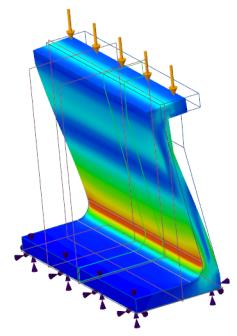 | Results with cross section along the X- direction selected 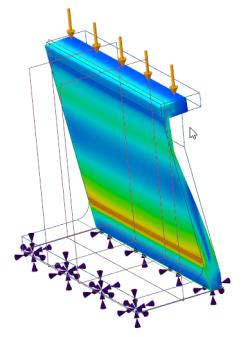 | Results with cross section along the Y- direction selected 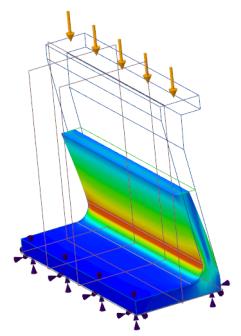 | Results with cross section along the Z- direction selected 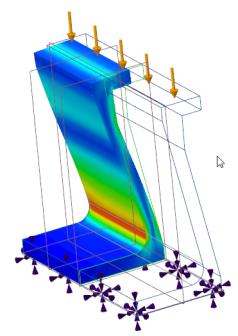 |
Click  on the legend to hide or display the wireframe view of the model in the results.
on the legend to hide or display the wireframe view of the model in the results.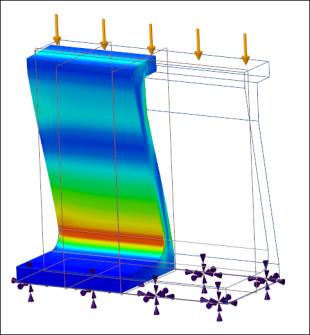 | 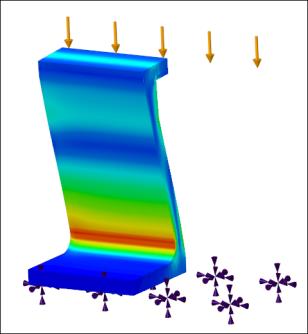 |
Cross section along Z- axis with model wireframe shown. | Cross section along Z- axis with model wireframe hidden |