Warp: Nudge Points in Sculpt
Creo+
User Interface Location: Click > >  Warp, select geometry to sculpt, then click
  Sculpt > .
Warp, select geometry to sculpt, then click Sculpt > .
Videos
Description
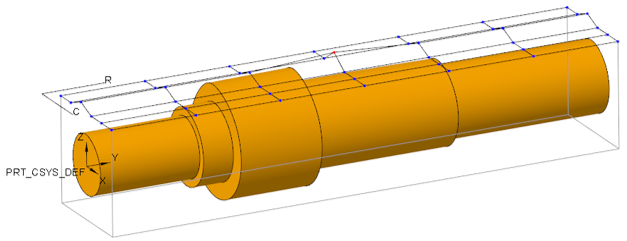
An enhancement in Creo Warp provides you with control over fine manipulations when you move points in the Sculpt tool. By entering a value or using arrows, you can make incremental changes so you can see how much you’d like to move the points. The way the points move depends on the Drag constraint that is selected.
The Adjust capability in Warp is similar to that present in the Surface and Curve Edit tools in Creo Style.
Benefits
Allows you to have tighter control when you move points in Warp Sculpt
Additional Information
Tips: | None. |
Limitations: | No known limitations. |
Does this replace existing functionality? | No. |
Configuration option associated with this functionality: | None. |