Moving Reference Frames of Rotation in Creo Simulation Live
Creo+
User Interface Location: From the Live Simulation tab click the arrow next to Boundary Conditions and then select  Rotating Fluid Domain to open the Rotating Fluid Domain dialog box.
Rotating Fluid Domain to open the Rotating Fluid Domain dialog box.Rotating Fluid Domain Dialog Box

Videos
Description
Creo Simulation Live now supports rotating fluid domains in a fluid study. This provides the use case of a fan or impeller. To define a rotating fluid domain, bodies must be axisymmetric with the axis of rotation.
Moving references are supported in conjugate heat transfer mode, or can be run without conjugate heat transfer. Moving references are not supported with transient mode. The input is a rotational angular velocity.
The following figures show the results for a fluid study when using a rotating fluid domain.
Direction Field of Velocity Results
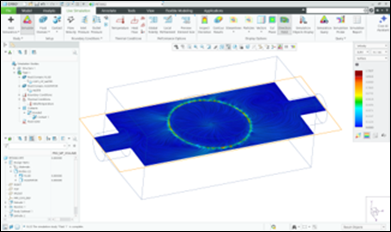
Streamlines of Velocity Results

Benefits
This enhancement provides the following benefits:
• Improved prediction of realistic rotation effects
• Higher detail of velocity and pressure results
Additional Information
Tips: | None. |
Limitations: | No known limitations. |
Does this replace existing functionality? | No. |
Configuration option associated with this functionality: | None. |