New Ply Selection Methods
Creo+
User Interface Location: In the Composite environment, perform one of the following actions:
• Click  Transition Plies. The Transition Plies tab opens. Under Transition Type, select either
  Profile or
  Custom.
Transition Plies. The Transition Plies tab opens. Under Transition Type, select either Profile or Custom.• Click >  Trim Ply. The Trim/Extend Ply tab opens. Under Method, select
  By Reference.
Trim Ply. The Trim/Extend Ply tab opens. Under Method, select By Reference.• Click  Splice Plies.
Splice Plies.• Click >  Remove Ply.
Remove Ply.Description
You now have additional methods for selecting multiple laminate objects when performing actions such as splice plies, transition plies, trim by reference, or remove ply.
You can use box selection as follows:
• To select all laminate objects enclosed within the selection box, click and drag the mouse pointer from left to right.
• To select laminate objects that are intersected by or enclosed within the selection box, click and drag the mouse pointer from right to left.
You can use Add Intersected Plies as follows:
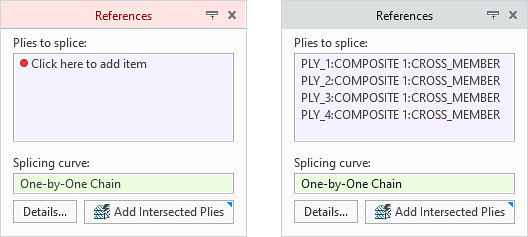
• When using the splice plies action, select the splicing curve, and then click Add Intersected Plies to include all laminate objects that intersect the selected curve.
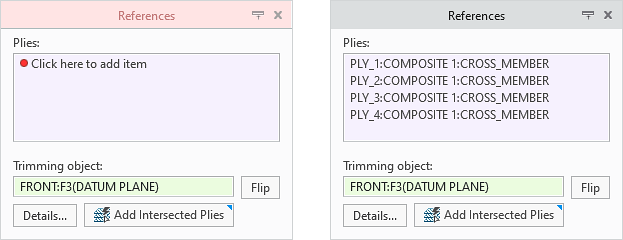
• When using the trim by reference action, select the trimming object, and then click Add Intersected Plies to include all laminate objects that intersect the selected object.
Benefits
These enhancements enable you to easily select multiple laminate objects at once, reducing manual effort and improving productivity.
Additional Information
Tips: | None. |
Limitations: | No known limitations. |
Does this replace existing functionality? | No. |
Configuration option associated with this functionality: | None. |