Warp: Improved to Preserve Surface Appearance
Creo+
User Interface Location: Click > >  Warp, and in a Warp tool, click the References tab.
Warp, and in a Warp tool, click the References tab.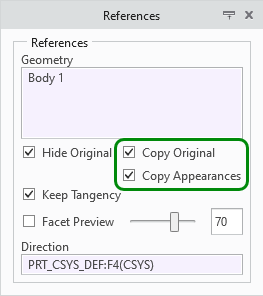
Videos
If the video does not play, watch it on YouTube.
Description
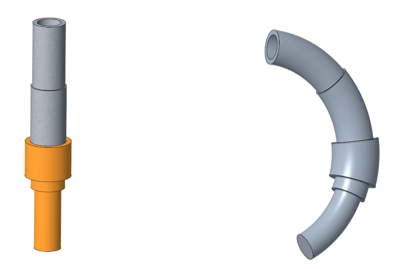
Warp has been enhanced so you can choose to preserve the surface appearances. Now the original surface properties can be copied to the new surfaces that are created when you modify geometry with the Warp tool. Previously, the surface appearances were lost when you made changes with Warp.
Creo 11:
Creo 12:
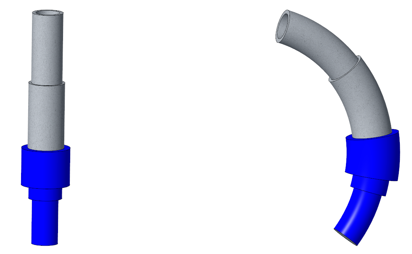
To choose to preserve the appearances of the original surfaces, select the Copy Appearances check box on the References tab. To make this check box available, you must first select the Copy Original check box.
Benefits
Maintain your design intent when you work with the Warp tool.
Additional Information
Tips: | None. |
Limitations: | No known limitations. |
Does this replace existing functionality? | No. |
Configuration option associated with this functionality: | None. |