Support for Exporting Drawing Tables as Blocks
Creo+
User Interface Location: Click > > .
Description
You can now define drawing tables as blocks when exporting a drawing to DXF or DWG. Exported drawings preserve the exact table display as defined in , without needing to perform any manual edits.
This enhancement resolves known issues with tables when an exported drawing is retrieved in AutoCAD, for example:
• Table border lines got unblanked when the table was moved or edited.
• Incorrect display of table cell margins.
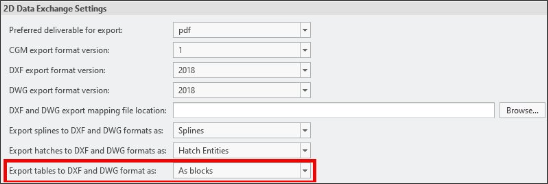
A new configuration option intf2d_out_acad_tables enables you to define how tables are treated during export.
The intf2d_out_acad_tables has the following settings:
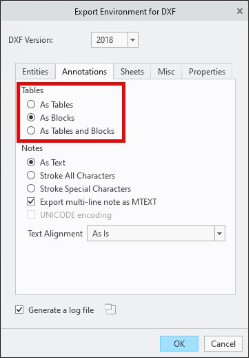
• as_tables—Tables are exported as tables (Default).
• as_blocks—Tables are exported as blocks.
• as_tables_and_blocks—Tables without blank lines are exported as tables; tables with blank lines are exported as blocks.
You can set your preference in the > settings, or in the Export Environment for DXF and DWG.
Benefits
• Maintains the display of drawing tables created in when exported to DXF or DWG.
• Eliminates the need for a manual edit of tables in Autocad after drawings are imported from .
Additional Information
Tips: | None. |
Limitations: | No known limitations. |
Does this replace existing functionality? | Yes. As part of this enhancement, the legacy configuration option intf2d_out_acad_brk_tbl_w_bl_ln was removed and replaced it with the new configuration option. |
Configuration option associated with this functionality: | Intf2d_out_acad_tables–as tables*, as blocks, as tables and blocks. |