Dynamic Draping Parameters
Creo+
User Interface Location: In the Composite Design environment, click  Draping Simulation.
Draping Simulation.Videos
If the video does not play, watch it on YouTube.
Description
The draping parameters are now automatically updated when you make changes to the draped plies and cores:
• When you change the size of a draped ply or core, the location of Seed point and the value of Step length are automatically recalculated.
• When you change the material of a draped ply or edit the constituent fiber angles of its material, the value of Draping angle offset is automatically recalculated.
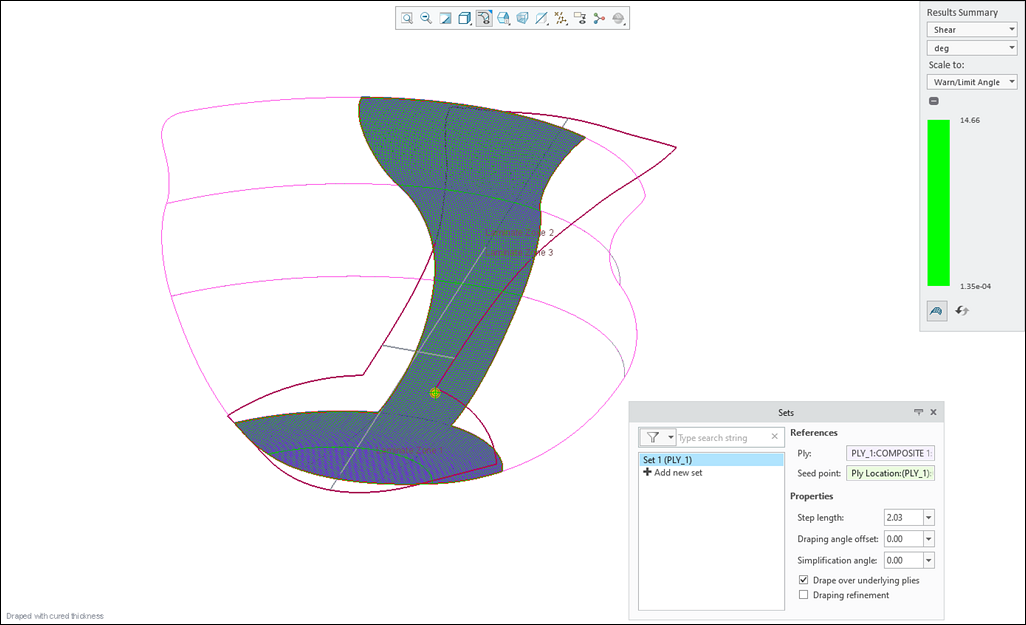
The values of draping parameters before updating the ply size and the ply material are as shown in the following image.
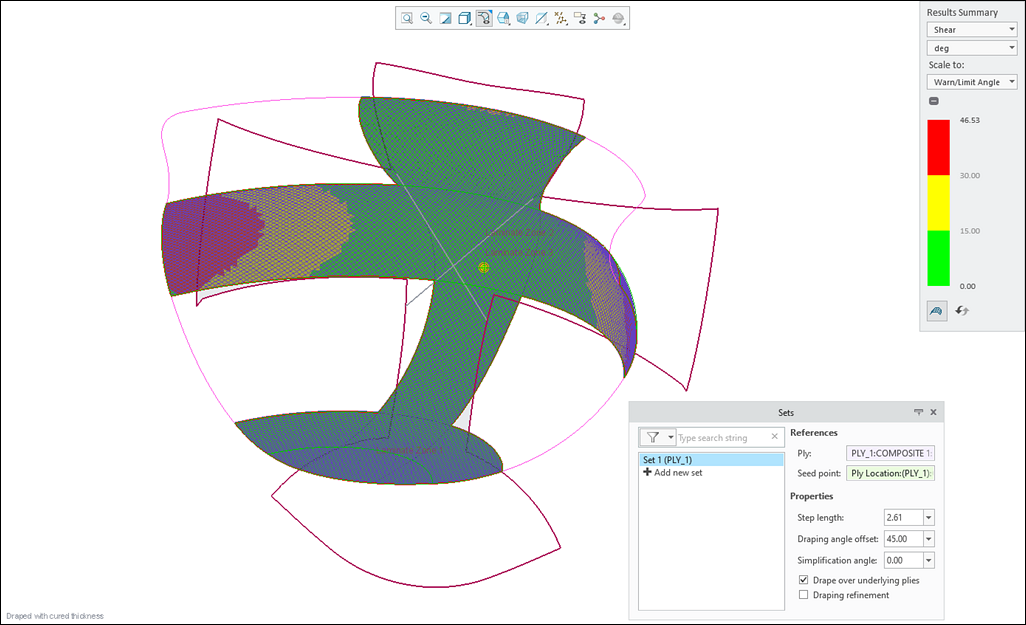
The recalculated values of draping parameters after updating the ply size and the ply material are as shown in the following image.
When you manually set the location of the seed point or use custom values for step length and draping angle offset, the values remain unchanged until you reset them back to their default.
Benefits
This enhancement improves productivity by automatically recalculating and updating the new seed point location, the new step length, and the new draping angle offset.
Additional Information
Tips: | None. |
Limitations: | No known limitations. |
Does this replace existing functionality? | No. |
Configuration option associated with this functionality: | None. |