Assign Reference Elements
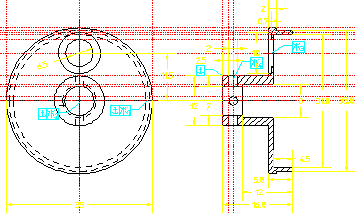
With a two-view part like this, it is important to anchor both views so that they don't move to overlap each other during the solve. For this part, assign Ref Elem constraints to the two centerlines on the front face and to the vertical construction line on the side view that's closest to the front view, Manually Assigned Constraints:
1. In the Generate Constraints dialog box, click the Assign radio button. Then pull down the Type selection list and select Refelem.
2. Click Apply.
3. Click on the two centerlines and one construction line as shown in the figure below.
4. Click End.
Figure 267. Manually Assigned Constraints