ResetTrackerConfigInheritance
 |
For a general, step-by-step guide on using the corrector module, see Using the Data Inconsistency Corrector Module.
|
Description
This tool forces inheritance propagation, so that the configuration of the derived tracker is updated to be the same as the configuration of its template tracker. This is done by resetting the tracker-diff of the derived tracker.
In Codebeamer, a derived tracker can inherit some or all of the configurations of its template tracker. A special data structure, called the tracker-diff, stores the differences between template trackers and their derived trackers. Every derived tracker has its own tracker-diff, which stores the tracker configurations that are not inherited from the template tracker by the derived tracker.
An entry in a tracker-diff indicates that inheritance for a tracker configuration has been broken, that is, that configuration is not inherited by the derived tracker when a change is made to the template tracker. Tracker-diffs are checked when a change is made to the template tracker, and the changes to configurations with an entry in the tracker-diff are not propagated from the template tracker to the derived tracker.
 |
If the derived tracker restored by this tool is also a template tracker, that is, the derived tracker has its own derived trackers, the changes made to its configuration by this tool are also propagated to its derived trackers.
|
|
|
This tool resets inheritance for all configurations in the derived tracker, except for differences in field types. Field types are not changed by the tool. This avoids possible issues with non-applicable values being entered into incompatible field types.
For example, if a field is a text-type field in the template tracker, but that field is an integer-type field in the derived tracker, that field in the derived tracker remains an integer-type field after using this tool. Otherwise, this could result in a text-type field having an integer value, which could result in further issues.
|
|
|
This is a tool for restoring only. This means there is no separate detection phase. Only the Restore button is available.
|
Using the Tool
To force inheritance propagation to a derived tracker using ResetTrackerConfigInheritance:
1. Click Restore. The execution parameter window appears.
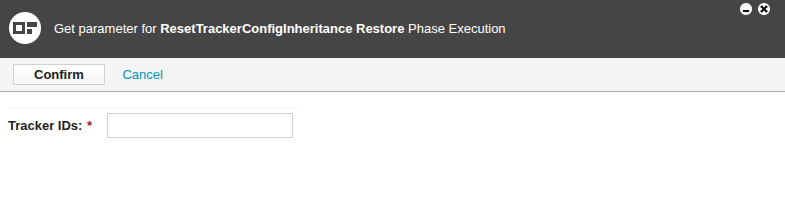
2. Enter the execution parameter. For ResetTrackerConfigInheritance, the execution paramater is the tracker ID of a derived tracker.
To restore multiple derived trackers at the same time, enter the ID of every derived tracker to be restored, separated by commas.
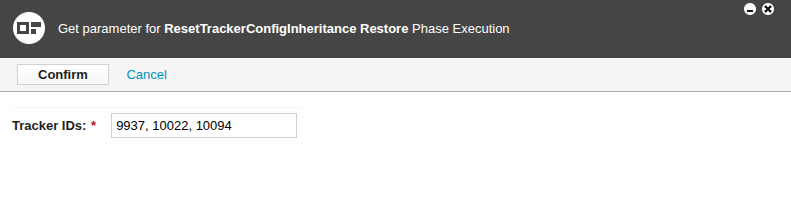
3. Click Confirm. The confirmation page appears, which shows the entered tracker ID.
4. Click Generate Signature. As a security feature, a login window appears.
5. Log in to Codebeamer. The login window disappears. The confirmation page shows that a signature has been generated and successfully signed.
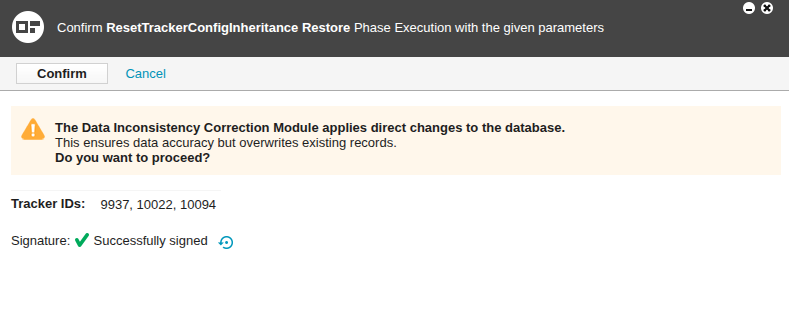
6. Click Confirm. The tool forces tracker configuration propagation from the template tracker to the derived tracker, updating inheritance and resetting the tracker-diff of the derived tracker.
If the derived tracker has its own derived trackers, changes are appropriately propagated to those derived trackers.