|
Pro/ENGINEER Wildfire 2.0 Interface (continued)
The following figure shows additional interface components:
Navigator
- Model Tree (left of the screen)
- Displays in place of the folder browser when a model is open.
- A collapsible panel
Web Browser
Main Interface
- Graphics Window (center of the screen)
- New gradient gray background.
- Yellow dynamic preview on model.
- Can collapse model tree and maximize window to create large working area.
- Dashboard (bottom of the screen)
- A dialog bar for creating/redefining features
- Menu Manager (right of the screen)
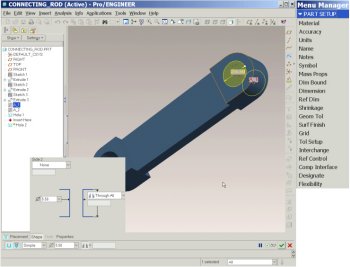
Pro/ENGINEER Wildfire 2.0 interface | |


 Previous
