Previous Page 70 of 89 Next
Information

Creating Fill Patterns (continued)

You can click on any of the preview 'dots' to disable that member of the pattern.

Task 2-41. Complete the Fill Pattern.

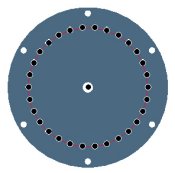
  1. Edit the pattern as shown in the following figure:
    1. Select Curve as the pattern spacing type in the dashboard.
    2. Select Spiral as the pattern spacing type in the dashboard.
    3. Edit the grid rotation to 180 degrees.


Editing a Fill Pattern

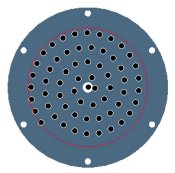
  1. Edit the pattern as shown in the following figure:
    1. Select the 5 pattern members shown on the left (white dots) to disable them.
    2. Click Complete Feature .


Fill Pattern Completed

  1. Click Save from the main toolbar, and click OK.
  2. Click File > Close Window .
  3. Click File > Erase > Not Displayed and click OK to erase all models from memory.

This completes the second exercise.

Previous Home Next