You can use Copy and PasteSpecial to copy and rotate features or a group. The Paste Special dialog box has options for Dependency, Move/Rotate, and Advanced Reference Configuration.
Task 2-38. Copy and rotate a group of features, creating a second structural rib.
Click Saved View List from the main toolbar and select FRONT.
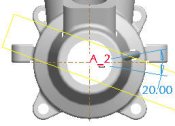
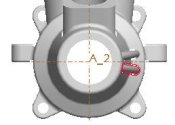
Create a copy as shown in the following figure:
Select the RIB group and click Copy from the main toolbar.
Click Paste Special from the main toolbar.
Select both Make Copies Dependent and Apply Move/Rotate Transformations. Click OK.
Click Rotate from the dashboard, and select axis A_2.
Drag the angle handle upward and then enter -20 for the angle.


 Previous


 from the main toolbar and select FRONT.
 from the main toolbar.
 from the main toolbar.
 from the dashboard, and select axis A_2.

 from the main toolbar, and click OK.
 .
.