|
Creating a group of features
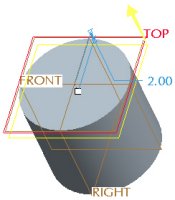
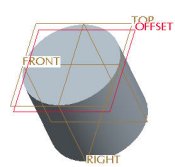
The next solid feature to be created is an Extruded Cut to hollow out the PISTON. In order to capture the desired dimensioning scheme for the cut, its sketch will be placed on a datum plane offset from the top surface of the model.
We will start the Extrude tool and Pause it. We will then create the datum plane and the sketch. When the Extrude tool is Resumed and completed, the system automatically creates a Group in the model tree. A group allows us to edit and manipulate several features as one. | 

 Previous


 from the feature toolbar.
 from the dashboard.
 from the feature toolbar.