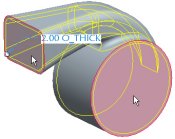
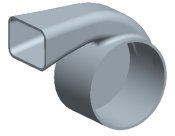
The shell feature does not require selection of "surfaces to remove", as it can hollow out a model without any references. However, when selecting surfaces to remove, you must press CTRL to select multiple references.
Task 2-8. Create a Shell Feature to hollow out the model.


 Previous


 from the feature toolbar.
 from the dashboard.