Tools Action Set - Parts
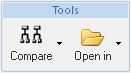
The following actions are provided on the part information page in the Tools action set in the Structure tab toolbar:
|
Action
|
Icon
|
Description
|
||
|---|---|---|---|---|
|
Compare
|
 |
The Compare icon provides the ability to compare a part structure to another part or CAD document structure.
The following choices are available in the drop-down menu: Compare to Part Structure – Compares the structure for the selected part to another part structure. for more information, see Comparing Part Structure to Part Structure. Compare to CAD Structure – Compares the structure for the selected part to the related CAD document structure. Compare to CAD Structure – Compares the structure for the selected part to the related CAD document structure. |
||
|
Open In
|
 |
The Open In icon provides the ability to open a selected part in another Windchill application.The following choices are available in the drop-down menu: Open in Creo View – Opens the visualization image for the selected part in Creo View. This action is also available in the right mouse button menu for a part selected in the structure pane and in the drop-down menu on the information page of a part.
|
