运行报告
|
|
im runreport
|
您可以运行所选报告,也可以为所选项或项集运行报告。有关如何运行项报告的信息,请参阅使用项报告来报告项。
 |
显示的日期字段不会随用户执行操作时所在的时区发生变化;不过,显示的日期/时间字段和时间条目会因用户执行操作时所在的时区而异。
|
下表描述了如何运行报告:
|
界面
|
过程
|
|---|---|
|
GUI
|
执行下列操作之一:
• 选择 > > ,然后指定一项选择。
• 从“管理报告”视图中选择报告,然后选择 > 或 > > 。
|
|
Web
|
从“报告”视图中选择报告,然后选择“运行报告”。
|
|
全新的 Web 界面
|
在“报告”页面中,单击要运行的报告。
|
|
超链接
|
使用超链接为旧版 Web 用户界面指定下列内容:
http://hostname:port/im/runreport?selection=reportname
为全新的 Web 用户界面指定以下内容:
http://hostname:port/extended-web-ui/reports/run?selection=reportname
其中:
• hostname 是指托管报告的 PTC RV&S 服务器的主机名
• port 是指托管报告的 PTC RV&S 服务器的端口号
• reportname 是指报告的名称
要防止 PTC RV&S 用户在运行多个报告时超过允许的打开会话数,请在 URL 末尾附加:
&mks.disconnect=true
这样可以确保 PTC RV&S 在完成将报告输出给用户的操作之后关闭会话。
例如:
http://localhost:7001/im/runreport?selection=AllTestSessions&mks.disconnect=true
http://localhost:7001/extended-web-ui/reports/run?selection=AllTestSessions=true
|
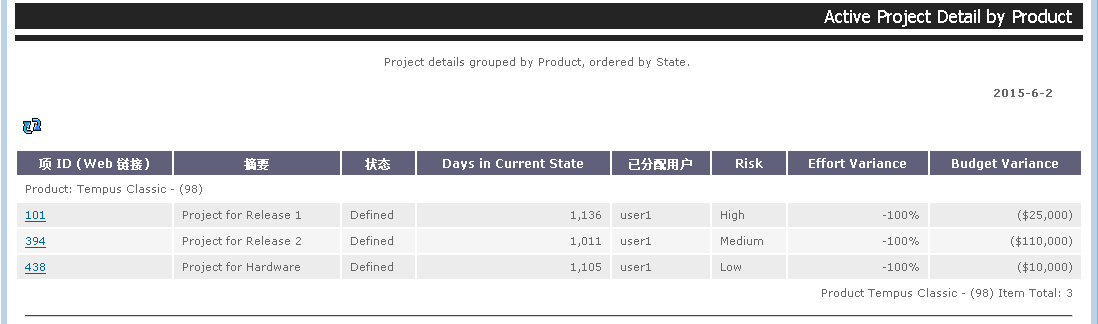
报告会显示在浏览器窗口中。
显示所有活动项目的报告会按产品分组(升序)并按健康状况排序(降序)。