Overview
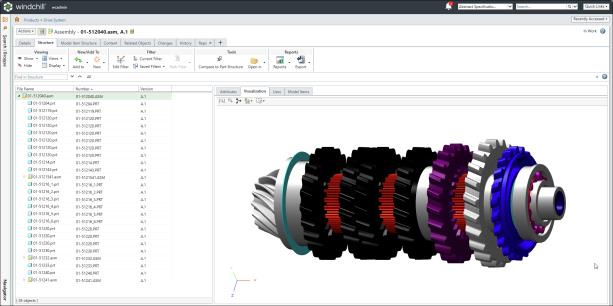
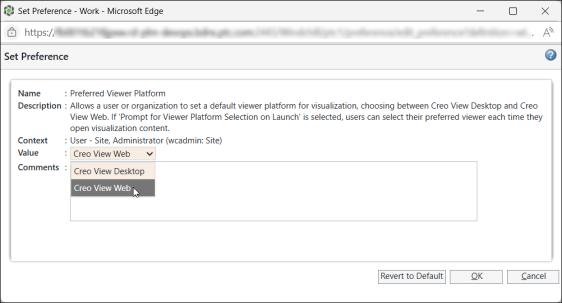
Creo View is the default 3D model viewer of Windchill Visualization Services. Integration between Creo View and Windchill clients is experienced several ways, like launching Creo View from Windchill, viewing data representations, and checking interferences stored in Windchill. This section outlines the various viewers that can be used for navigating and interacting with 3D models in Creo View. It also covers the configuration and troubleshooting of the Creo View Desktop, Creo View Web, and Creo View WebGL Viewer. It provides guidance for viewing, comparing, and printing representations using both the Creo View Desktop and Creo View Web interfaces in different scenarios.
Creo View Desktop
Creo View Desktop is the client, installed application offering rich PLM Visualization capabilities for advanced users. It supports detailed inspection, markup, and comparison of CAD models, drawing, product configuration and documents.
It offers the following key capabilities in Windchill:
• Provides full-featured visualization including markup, measurement, comparison, and validation tools.
• Supports multiple ECAD and MCAD formats.
• Enables printing and exporting of viewables.
• Launches from Windchill via embedded links or thumbnails.
• Provides capability for users who need advanced analysis and collaboration tools.
For more information refer Creo View Desktop.
Creo View Web
Creo View Web is a browser-based visualization viewer that provides initial capabilities for visualizing 3D models without installing the viewer. It simplifies access to product data directly from Windchill without the need for desktop software.

It offers the following key capabilities in Windchill:
• Provides web-native viewer with cross-platform support including Windows, macOS, Linux.
• Provides interactive 3D model visualization and navigation like rotate, pan, and zoom.
• Access to product structure, MBD content, and metadata.
• Enables design reviews with annotations sets.
• Provides capabilities suited for view only users like executives, reviewers, users on shop floor, and suppliers. The initial release supports view-only capabilities for design reviews and walkthroughs, with planned expansion to support editing features.
For more information refer Creo View Web.
Creo View WebGL Viewer
The Creo View WebGL Viewer is a JavaScript-based 3D viewer that can be used to load Creo View data in an HTML browser. It is based on the standard WebGL APIs, which support modern browsers in desktop applications and mobile devices. The Creo View WebGL Viewer is used in the embedded browser UI for Creo View or Windchill Workgroup Manager when browsing Windchill.
This viewer is embedded in the Visualization tab of the Part Structure Browser, Manufacturing Associative Part Structure Browser, and Operation Plan Browser. For more information refer Creo View WebGL Viewer.