Investigate in Creo View
Use the  Investigate in Creo View action to compare model-related information between two different versions of a CAD document. This helps identify and review changes made to the design over time. This action is available in the CAD Documents table of the Documentation tab of the process plan browser.
Investigate in Creo View action to compare model-related information between two different versions of a CAD document. This helps identify and review changes made to the design over time. This action is available in the CAD Documents table of the Documentation tab of the process plan browser. | If the CAD document is visible in the process plan tree structure, you can select this action from the right-click menu. To do this, right-click the CAD document and then select > Investigate in Creo View. |
Consider the following use case: A CAD document Piston_BOT is present in the CAD Documents table of the Documentation tab. The current version of the document is A.1. You make some changes in the document Piston_BOT, and as a result its version changes to A.2. To compare, you can select the document and initiate the Investigate in Creo View. The system opens both versions in the Creo View to compare.
Investigate in Creo View. The system opens both versions in the Creo View to compare.Key Points
• When you initiate this action, the system compares the following two entities:
◦ The latest iteration of the CAD document
◦ The last latest iteration of the related CAD document version attached to the operation in Creo View
• You can select multiple entities and start this action.
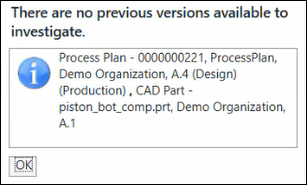
• When there are no versions to compare, the following user message is displayed: