Implementation of EPLM Licensing Followed by Upgrade
The following sections outline the transition process from the legacy PLM license package to the new ePLM license package for supported scenario and then upgrading to 13.1.1.
Upgrade to 13.1.1. after Implementation of ePLM licensing on version earlier than 13.1.1
1. Upgrade to 13.1.1 and confirm that new license profiles are available at the Org-level.
2. Add new Site-level license groups to the existing Org-level license group.
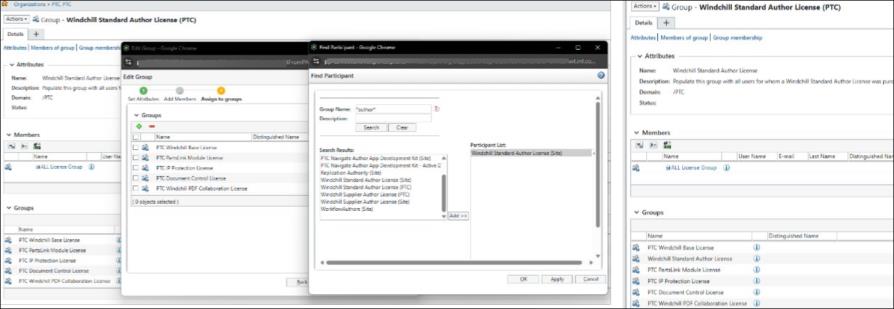
3. Remove old license groups from the Org-level group to complete the transition.
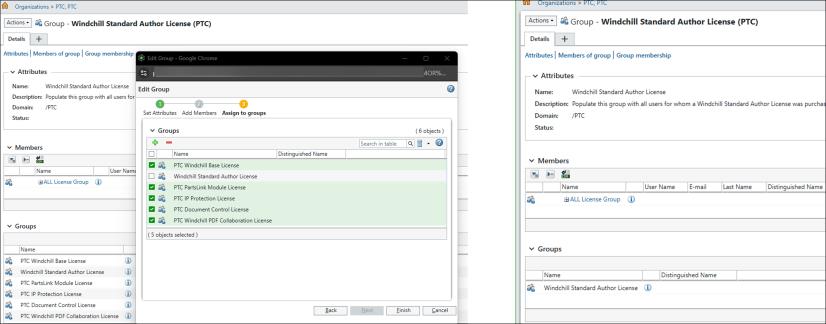
4. Verify that the Site-level license profile match the Org-level setup using Participant Administration. Your system is now aligned with the ePLM licensing model in Windchill 13.1.1.