Enable the Out-of-the-Box Workflows
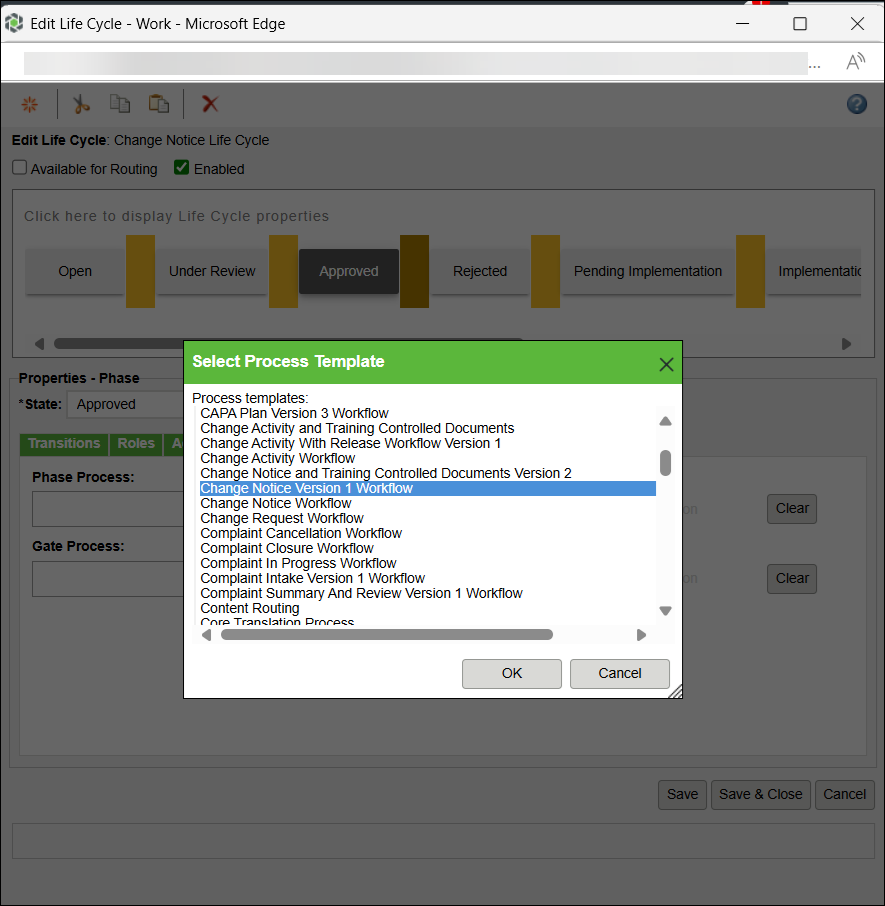
The workflows, Change Activity with Release Workflow Version 1 and Change Notice Version 1 Workflow, are provided out-of-the-box. However, they are not enabled by default. To enable these workflows, follow these steps:
1. Go to Life Cycle Template Administration. The utility is available from the Utilities page under Site  , Organizations
  , Products
  , and Libraries
  .
.
, Organizations , Products , and Libraries .2. Select Change Activity Life Cycle or Change Notice Life Cycle and click Edit.
3. Select any state to display life cycle Properties - Phase.
4. Click Workflow and browse for the Change Activity with Release Workflow Version 1.
5. Click Save & Close.
Related Topics