Creating a BOM Redline Action in the BOM Redline Client
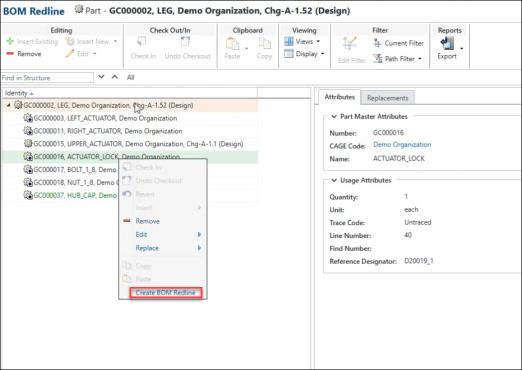
AA new Create BOM Redline action is introduced in the BOM redline client to enhance usability and streamline change management for released parts.
The Create BOM Redline action will be available under the following conditions:
• The child Part does not already have a BOM redline associated with the current change notice.
• The Part View of the child part must match that of the parent part.
• The latest revision of the child part must be in a Released state.
After performing this action, the child part is added as an affected object on the change notice and assigned a Change Intent value of Revise. A new BOM redline is created on-the-fly for marking up in the current BOM redline session.
Related Topics