Displaying Menu Bar Actions for a Table
1. Define the actions in an actions.xml file. See Defining a new action for more information.
2. Add the actions to an action model. See Defining a new action for more information. Action models that are used in the menu bar need to contain “menubar” in the name of the action model. To get a menu to fly out from the main menu, add a submenu to the action model:
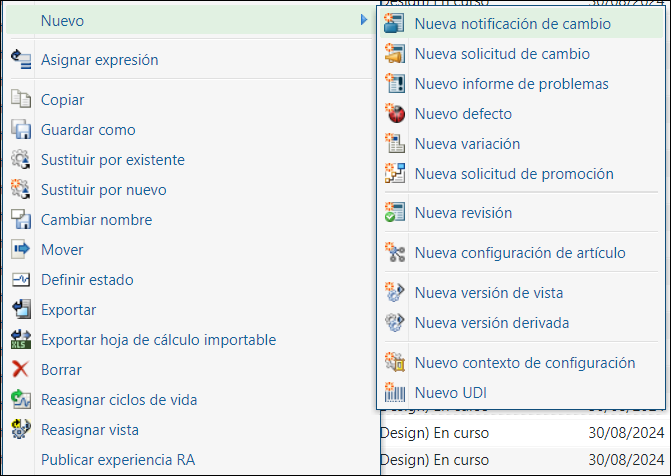
<model name="folderbrowser_toolbar_actions">
<description>Folder browser toolbar actions menu for all Folders.</description>
<submodel name="folderbrowser_toolbar_open_submenu" />
<action name="customLaunchMatrixEditorWizard" type="productfamily"/>
<action name="separator" type="separator" />
<submodel name="folderbrowser_toolbar_new_submenu" />
</model>
<model name="folderbrowser_toolbar_new_submenu" resourceBundle="com.ptc.windchill.enterprise.folder.FolderActionResource">
<description>'New' submenu for folder browser toolbar actions menu.</description>
<action name="create" type="changeNotice" />
<!-- New Change Notice -->
<action name="createChangeDirective" type="changeDirective" shortcut="true" />
<!-- New Change Directive -->
<action name="create" type="changeRequest" shortcut="true" /> <!-- New Change Request -->
<action name="create" type="problemReport" /> <!-- New Problem Report -->
</model>
<description>Folder browser toolbar actions menu for all Folders.</description>
<submodel name="folderbrowser_toolbar_open_submenu" />
<action name="customLaunchMatrixEditorWizard" type="productfamily"/>
<action name="separator" type="separator" />
<submodel name="folderbrowser_toolbar_new_submenu" />
</model>
<model name="folderbrowser_toolbar_new_submenu" resourceBundle="com.ptc.windchill.enterprise.folder.FolderActionResource">
<description>'New' submenu for folder browser toolbar actions menu.</description>
<action name="create" type="changeNotice" />
<!-- New Change Notice -->
<action name="createChangeDirective" type="changeDirective" shortcut="true" />
<!-- New Change Directive -->
<action name="create" type="changeRequest" shortcut="true" /> <!-- New Change Request -->
<action name="create" type="problemReport" /> <!-- New Problem Report -->
</model>
3. Add the action model to your table by calling the setMenubarName(action_model_name) in your MVC builder.
public ComponentConfig buildComponentConfig (ComponentParams params) {
ComponentConfigFactory factory = getComponentConfigFactory ();
JcaTableConfig table = (JcaTableConfig) factory.newTableConfig ();
// add the menu bar action model to the table
table.setMenubarName ("folderbrowser_toolbar_actions");
....
return table;
}
ComponentConfigFactory factory = getComponentConfigFactory ();
JcaTableConfig table = (JcaTableConfig) factory.newTableConfig ();
// add the menu bar action model to the table
table.setMenubarName ("folderbrowser_toolbar_actions");
....
return table;
}
Trouble Shooting
Problem Description | Solution |
|---|---|
Icons for some actions are missing | Only the actions that are displayed in a table toolbar have icons in the actions menu. |
Some actions don’t appear in the list in the UI | There may be a validator configured on it which may hide the action in certain conditions. See Action Framework for Windchill Client Architecture for information on configuring an action with a validator. Add jcaDebug=true to the url to see even the hidden actions. With the jcaDebug option enabled, you’ll see more information in the menu, and there will be an action at the end of the list that takes you to the action model report for that menu.  |
Parent topic