Viewing Trace Links on EPM Document
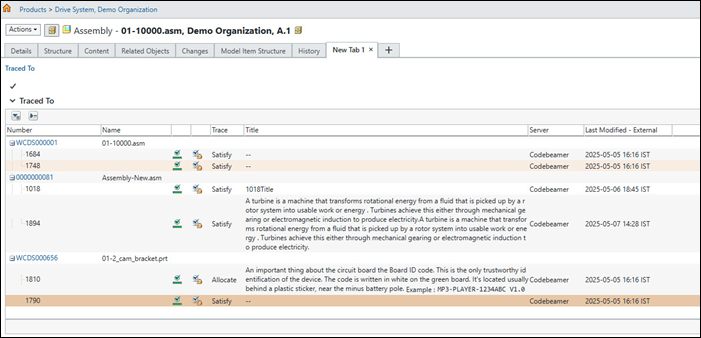
For any EPM document associated with a part, you can view all trace links between that part and external resources in the Trace To table on the associated EPM document.
For more information about the types of associations between parts and EPM documents, see CAD and Part Association Overview.
To view the trace links on an EPM document, follow these steps:
1. On the information page of the EPM document, create a new tab.
2. Select > > > .
3. All trace links between the part and external resources will be displayed in the Traced To table.
 | • The Traced To table displayed on the EPM document is view-only and does not support any actions. • The Traced To table can also be viewed on the Traces tab of the structure browser page of the EPM document. The visibility of this table is controlled by a preference. For more information, see Traces Tab. • The display of the Traced To table is supported for all out-of-the-box custom types of EPM documents. |