Viewing Replication History
Replication History refers to the detailed record of replication activities. This feature enables a user to monitor the processing of an object through different replication scenarios. A detailed Replication History can be viewed through the customizable History menu.
To enable this functionality:
1. Go to Site  > > > .
> > > .2. Set the Collect Replication History of Objects preference to Yes.
Once activated, every action initiated by the replication process is recorded in the Replication History tab.
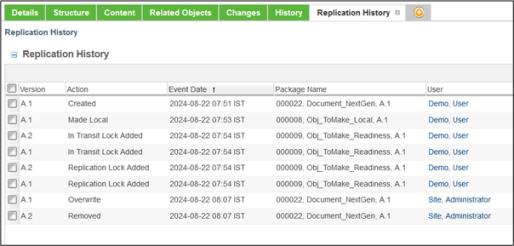
The following topics offer detailed explanations for each area: