Validation By Report Generation
To support the transition to the new license packaging, reports are available to help plan and validate the current users and license groups.
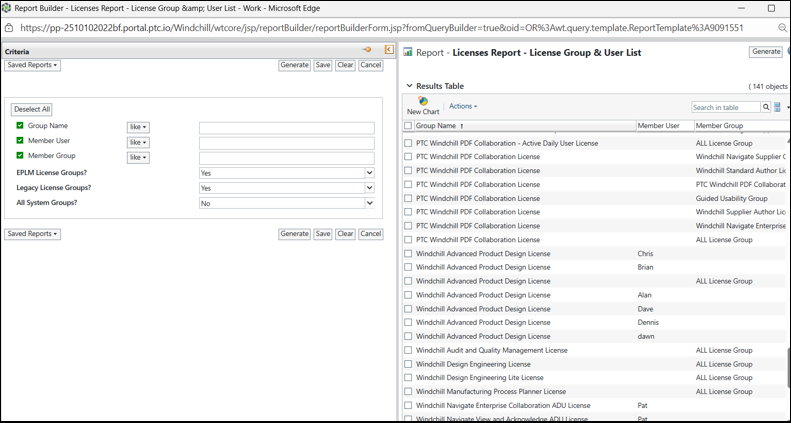
• License Group & User List— Use this report to identify users and groups associated with ePLM licenses, including legacy groups, and to review their current license group assignments in Windchill. You can search for a specific user to view all license groups to which the user is assigned. In addition, this report can be used as input for automating extract, transform, and load (ETL) processes for user and group data.
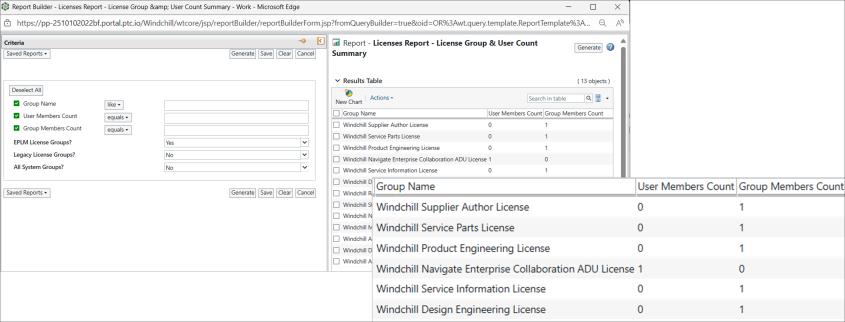
• License Group & User Count Summary — Use this report to review a summary of the number of users and groups assigned to their respective entities. This report also helps validate the number of users assigned to the new ePLM license groups. Such validation is particularly useful when license information does not include user counts and Windchill has not yet been upgraded to version 13.1.x or later.
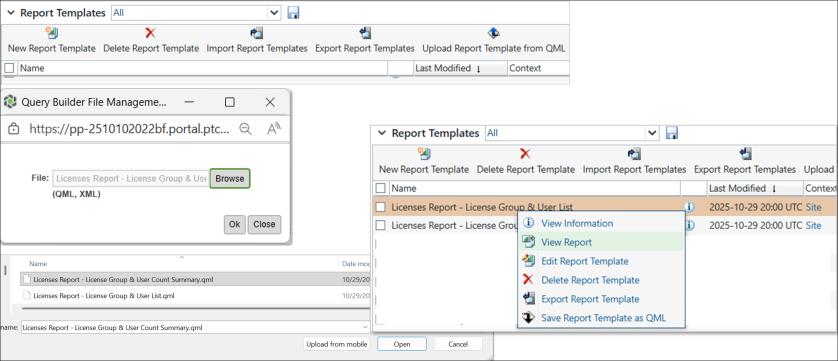
• To Import and run the report, follow the steps mentioned below:
a. Browse > >  Upload Report Template from QML.
Upload Report Template from QML.b. Select the report file on Query Builder File Management. QML and XML are the supported formats of the report file.
c. Right click on the report entry seen in the Reports Template table.
d. Click  View Report.
View Report.