Open (CATIA V5)
In CATIA V5, the Open action is only available from the File menu and the Standard CATIA V5 toolbar.
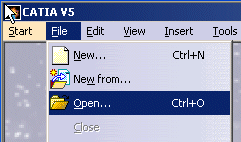
You can open the CAD objects from your local directory and check them in to Windchill. For more information about checkin, see Check In (CATIA V5).
To open documents from a Windchill commonspace or workspace, it is a best practice to use Open from Windchill instead of > .
Best Practices for Opening Large Assemblies in CATIA V5
• Work with Cache System—Activates the CGR (CATIA Graphical Representation) Cache Management mode. This preference lets you open child parts of an assembly in a lightweight representation, loading large assemblies faster while using less resources. To enable the CGR cache support, navigate to > > > > and select Work with Cache System checkbox. See CATIA V5 CGR Configuration and CGR Cache Management (CATIA V5).
• Assembly-level CGR—Opens assemblies and subassemblies faster using the assembly-level CGR or super CGR. See Assembly-level CGRs.
• Do not activate default shapes on open—Opens large assemblies faster without loading the model geometry in the CATIA V5 graphics window. To activate this preference in CATIA V5, navigate to > > > > and select Do not activate default shapes on open checkbox.