Setting Pending Effectivity
To set the pending effectivity, consider the following actions:
• Display empty (unassigned) pending effectivities
• Create new pending effectivities
• Remove pending effectivities
• Other editing actions such as Copy, Set Attributes, Set Effectivity Context, and Set Effectivity Type.
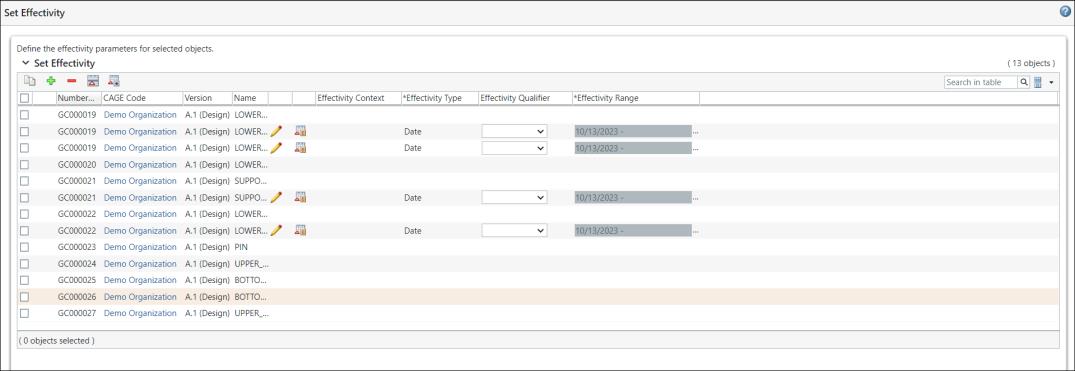
Displaying Default Pending Effectivities
An empty (unassigned) pending effectivity is displayed when no pre-existing pending effectivity exists for a resulting object. In this case, the Default Pending Effectivity preference is set to None. A date pending effectivity is displayed when the preference is set to Date.
Creating New Pending Effectivities
The Create Effectivity  action allows you to create a new pending effectivity for the selected resulting object. A new pending effectivity row is created for the selected (seed) resulting object. You can use the Create Effectivity action without selecting any object. In this case, a new pending effectivity will continue to be created for all selected resulting objects.
action allows you to create a new pending effectivity for the selected resulting object. A new pending effectivity row is created for the selected (seed) resulting object. You can use the Create Effectivity action without selecting any object. In this case, a new pending effectivity will continue to be created for all selected resulting objects. | If multiple rows are selected for the same seed object, the Create Effectivity action adds only one pending effectivity. |
Removal of Pending Effectivities
The Remove Selected Object action  removes the real and empty (unassigned) pending effectivity rows. Additionally, when you click Finish the empty (unassigned) pending effectivity rows are deleted automatically.
removes the real and empty (unassigned) pending effectivity rows. Additionally, when you click Finish the empty (unassigned) pending effectivity rows are deleted automatically.Other Editing Actions
The other editing actions such as Copy and Add Effectivity, Set Effectivity Attributes, and Set Effectivity Type are not supported for the empty (unassigned) Effectivity Type row. If you want to perform the action, clear the empty Effectivity Type row and try again.