Open from Windchill (NX)
This section describes the Open from Windchill action available from NX.
In NX, Open from Windchill is available in the PTC Windchill tab.
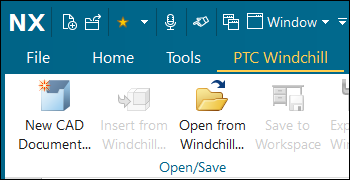
The Open from Windchill action allows you to access the active workspace of a registered Windchill server, so you can open CAD documents stored in Windchill. Other objects that are required to open the selected CAD document are also collected. For more information, see Opening Objects in a CAD Application. This action first opens the active workspace on the registered server, but you can also navigate to the commonspace to open CAD documents of other contexts.
To open large assemblies in NX from Windchill, it is a best practice to use Open from Windchill instead of > .
When you click Open from Windchill, you can browse for the file you want to open in NX.
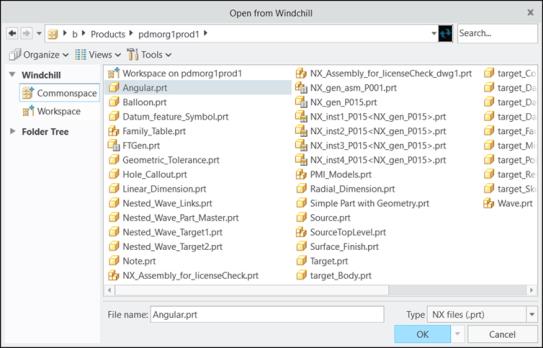
Select the file, or type the name of the file that you want to open in the File name: box to retrieve the file directly from commonspace. You can also use the Search... utility to search for CAD documents by a partial name or wildcard (*). If the file has a viewable representation (thumbnail) generated on the system, you can see the preview of the files by setting the view to thumbnails.
 | The NX assembly load options are applied when you use Open from Windchill. If no assembly load options are set, the default assembly load options are applied when opening the assembly from a Windchill commonspace. For more information, see Assembly Load Options (NX). |
You can use the following menus to customize the view for the Open from Windchill window:
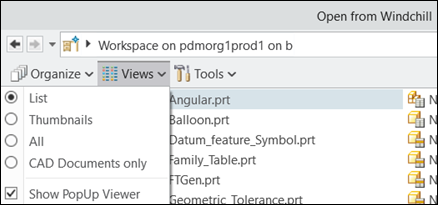
• Views
Under the Views menu, you can select the view types as List, Thumbnails, All, or CAD Documents only, as shown:
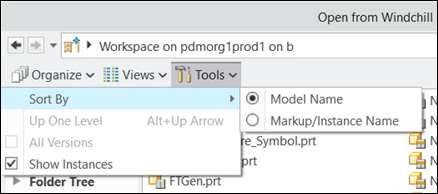
• Tools
Under the Tools menu, you can determine whether you want to show the instance next to all objects, and define the sort order by model name or markup/instance name as shown:
For more information, see Best Practices: Opening NX CAD Data from Windchill.
| | If there is no primary server and primary active workspace, the Open from Windchill option appears to be available, however a warning message is given to let you know that you cannot open a file in Windchill. |