Viewing Assigned Part
The Assigned To Parts table on the Related Objects tab of an engineering material’s information page provides a list of parts that are assigned to the engineering material. You can copy selected objects, and export lists to a specific type of file for further actions.
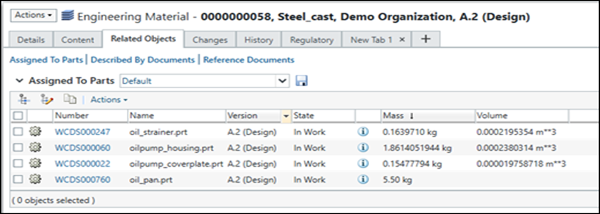
• The parts can be copied from the derived list.
• You can also export list of parts in different file types like HTML, text, excel, CSV, and so on.
The Edit Filter action can be used from the latest Engineering Material’s information page to display only the collection of parts that interest you. For example, if you only want to see Parts that are still under development, you can edit the filter to only show the latest parts with lifecycle state In Work.