Change Notice Version 1 Workflow
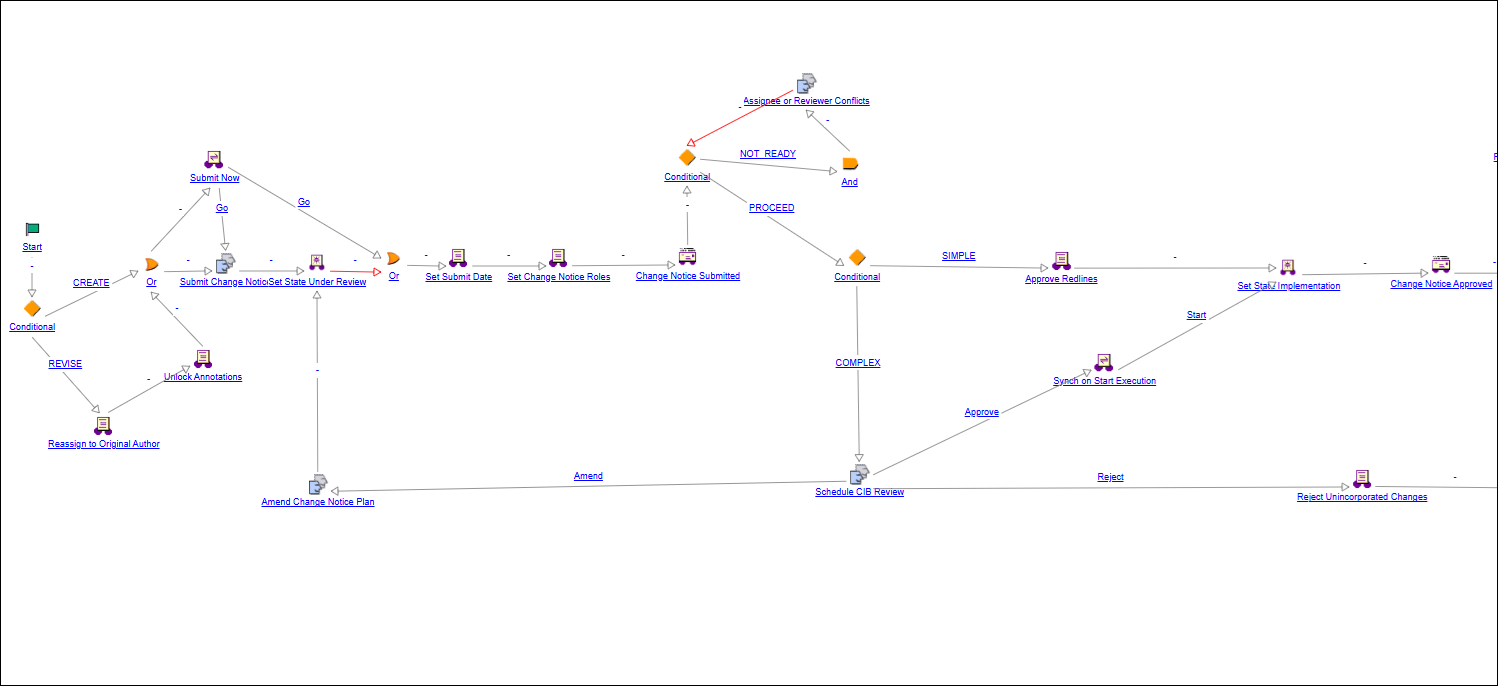
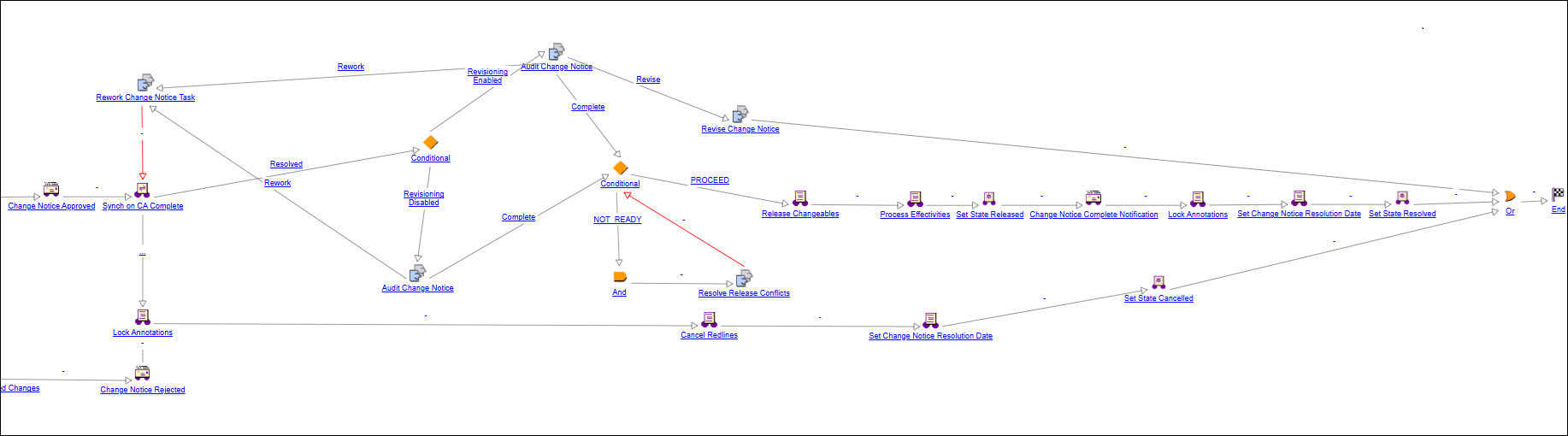
This workflow manages the execution of a change task and includes the setting of the Actual Start Date. Each change task can be released individually or as part of a group before the release of a change notice.
The instructions appear in the Complete Change Notice Task workflow task with a list of failed business rules.
1. Submit change notice
Submit change notice to the system.
2. Assignee or reviewer conflicts
If necessary, resolve any assignee or reviewer conflicts by updating the change notice or change task with a user or role as a valid assignee or reviewer and completing the task.
3. Schedule CIB review
If the change notice has full track complexity, schedule and facilitate the Change Implementation Board (CIB) review and record the CIB decision.
4. Synch on CA complete
Sends the CHANGE IMPLEMENTATION event to all Change Activity workflows associated with the change notice. As each change task reaches the Resolved state, the CHANGE IMPLEMENTATION event is re-emitted if the next sequence is scheduled. For more information, see “How Change Notice and Change Activity Workflows Work Together”.
5. Amend change notice
If necessary, amend the change notice plan based on the CIB’s review and resubmit to the CIB.
6. Audit change notice
Review the change notice data modifications and approve or reject the change notice implementation.
7. Rework change notice task
Rework change notice task and resubmit to Change Administrator II for audit.
8. Resolve release conflicts
If necessary, resolve existing release conflicts.
9. Revise change notice
If necessary (and revisioning is enabled), revise the change notice based on the CIB’s review.