Batch Print Preferences
Setting Batch Print Preferences
A system administrator can set preferences for two Batch Print functions. These Batch Print preferences are located in the Visualization section of the Windchill Preference Management utility. For more information, see Preference Management. Scroll through the Preference Management utility and expand the Visualization section by clicking the  icon.
icon.
icon.To access any Set Preference window, right click on the preference you want to change and select Set Preference from the right-click actions menu.
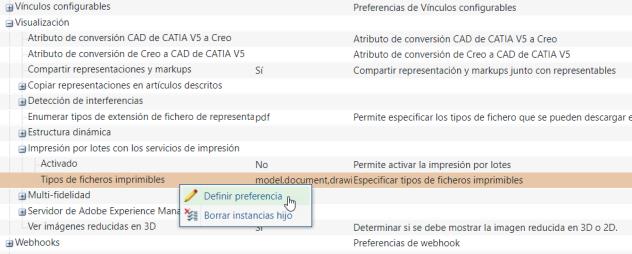
The Batch Print preferences are described below.
Preference | Default | Other values | Description |
|---|---|---|---|
Enabled | No | Yes (Batch Print is enabled) | Enables/disables batch printing. |
Printable File Types | model, document, drawing, image, illustration | User-defined | Allows an administrator to create a comma-separated definition of allowable printer file types, in addition to the default types provided. |