Replacement Tables on Part Information Page Tabs
By default, tables for Alternates and Substitutes are displayed on the Related Objects tab available on the information page of a part.
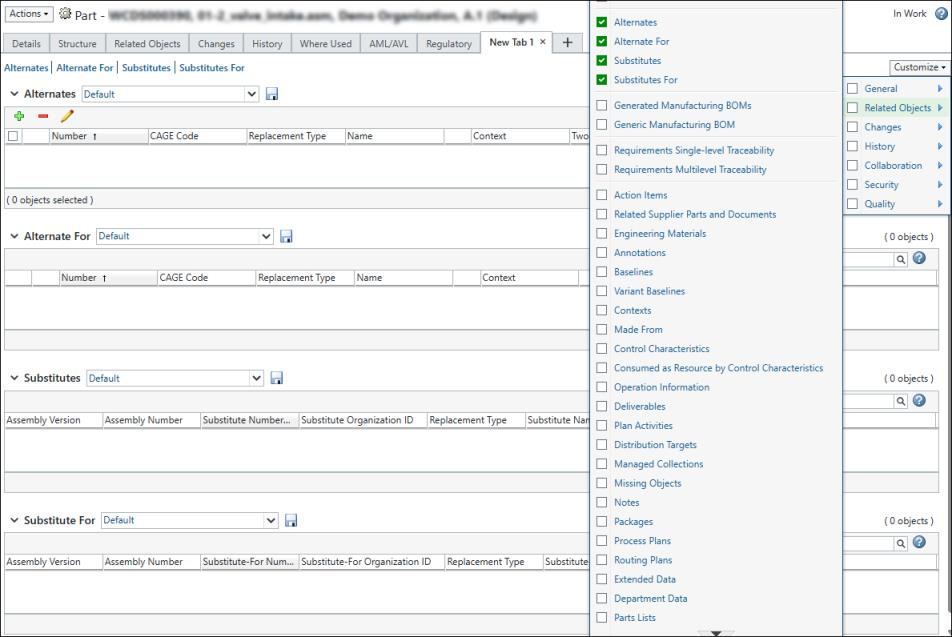
You can customize a new tab on the part information page to add any of the replacement tables such as Alternates, Alternate For, Substitutes, or Substitute For.
Actions in the Alternates table allow you to add, edit, and remove alternate parts. The following table describes how to use each of these actions.
 | These actions are not available in the Substitutes table because substitutes must be defined from a part structure in order to specify both the parent assembly and component part for which the substitute is created. For more information, see Defining Replacements in a Part Structure. |
Action | Procedure | ||
|---|---|---|---|
 Add Alternate Add Alternate | 1. Click Add Alternate .2. Enter search parameters in the Find Alternate Part window and click Search. 3. Select one or more parts in the Search table and click OK. The added alternate parts are displayed in the Alternates table. | ||
 Remove Selected Remove Selected | 1. Select one or more parts. 2. Click Remove Selected . The selected parts are removed from the table.
| ||
 Edit Alternate Link Attributes Edit Alternate Link Attributes | You can edit the value of the Two-Way attribute using the Edit Alternate Link Attributes action. 1. Select one or more parts. 2. Click Edit Alternate Link Attributes .3. In the Edit Alternate window, select Yes or No in the Two-Way column to create a two-way or one-way alternate. If your company has defined more than one type of alternate part you may also change the alternate type. 4. Click OK. The selected parts in the Alternates table are modified. |