Structures Generated Using Process Plan
When you select a process plan as the source in the Initialize Manufacturing Structuresdialog box, the following structures are generated.
Generated Structures
If a single part was selected, the generated process plan opens in the process plan information page. If multiple parts were selected, the process plan generated for one of the parts in the selected list opens in the process plan information page. Any associated objects, such as operations and sequences, are also created and displayed under the process plan. You can view the generated mBOM structure in the tree picker using the Open Related Object action.
You can access all the objects from the confirmation message banner displayed at the top or from the folder location specified in the Initialize Manufacturing Structures dialog box. You can view the generated structures by navigating to the folder and opening the new part in BOM Transformer or opening the new process plan.
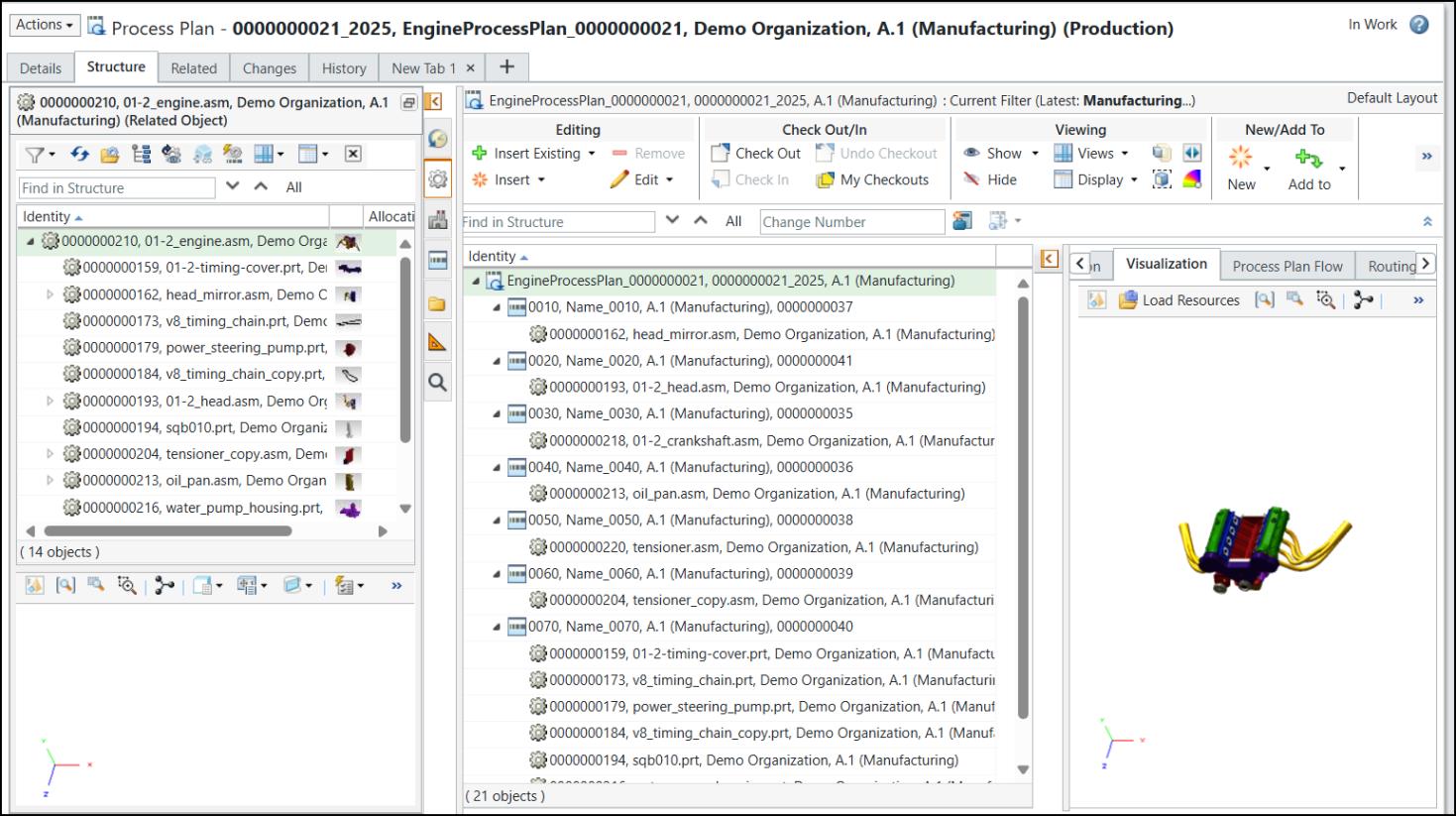
The name of the new process plan is displayed in this format: <name of the source process plan>_<number of the source process plan>. The number suffix specified in the Initialize Manufacturing Structures dialog box is appended to the new process plan number.
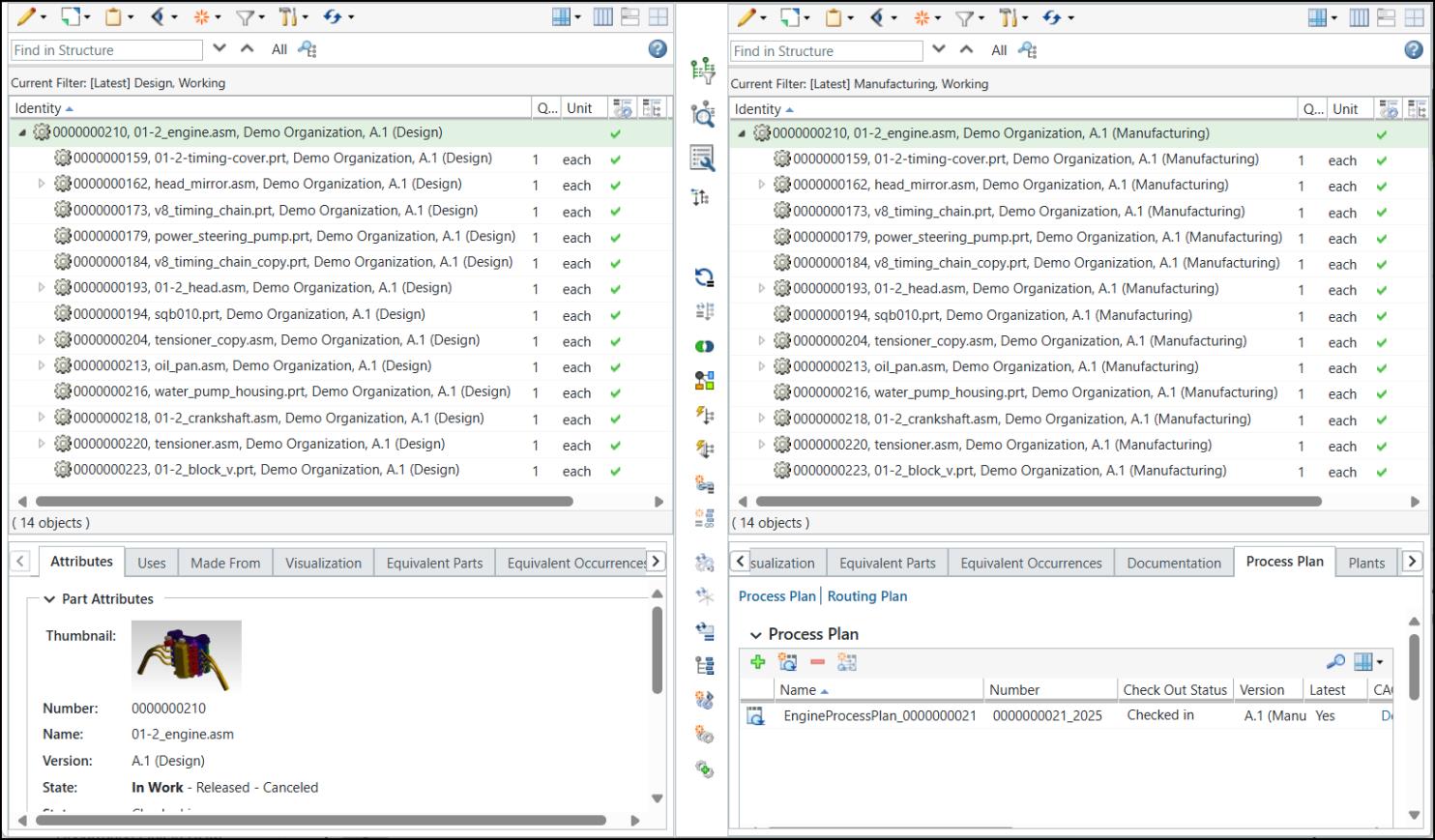
The new parts have the same names as the original ones, but you can identify them by the number suffix specified during generation.
Email Notification
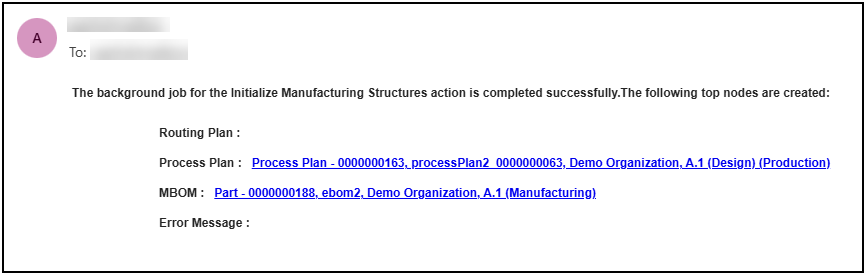
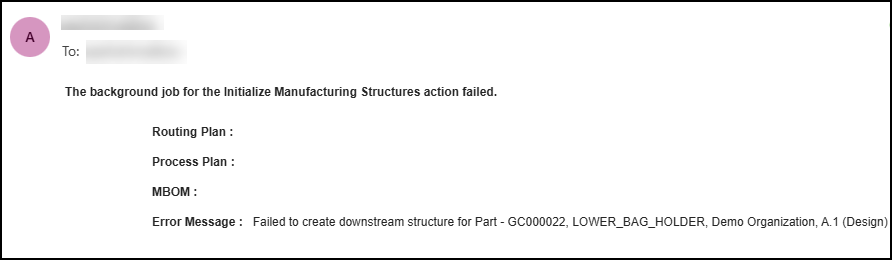
The following email notifications are sent upon successful or unsuccessful completion of job.