Build Logic to Restart the Experience
Now that your experience can handle scanning and resource loading, you might want to go back to the initial UI to scan another product. Let's build the necessary app logic to make that possible.
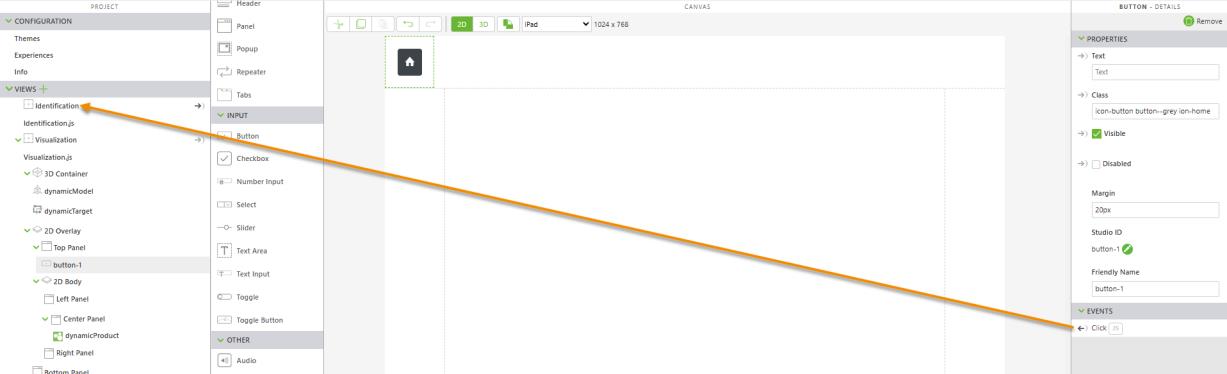
1. Navigate to the 2D canvas of the Visualization view.
2. Add a Button widget to the top panel and configure the following properties:
◦ Text—delete “Button” text and leave it empty
◦ Class—enter icon-button button--grey ion-home
◦ Margin—enter 20px
3. Drag and drop the Click event of the Button widget onto the Identification view the project tree. Select Navigate on the Select Event Handler window, and click Bind.
4. In the next section, we’ll configure the experience to handle loading and errors.