Industrial Connections Example
Using the Industrial Connections in ThingWorx, you can connect to ThingWorx Kepware Server to model, configure, and bind tags that exist in ThingWorx Kepware Server to Things in the ThingWorx model.
 |
This example assumes ThingWorx 8.0 or later is installed and running.
|
Creating an Application Key and a Thing in ThingWorx
To connect to the ThingWorx Kepware Server, you must create an application key and a Thing that uses the IndustrialGateway Thing Template.
1. Create an application key in ThingWorx. Copy the Key ID for later use.
2. Create a Thing in ThingWorx. Note the Name of this Thing, as you will use it later in ThingWorx Kepware Server.
|
|
In this example, the Thing is named ThingWorxKepwareServer.
|
3. In the Base Thing Template field, select IndustrialGateway.
4. Click Save.
Installing ThingWorx Kepware Server
1. Download and launch the installer for ThingWorx Kepware Server.
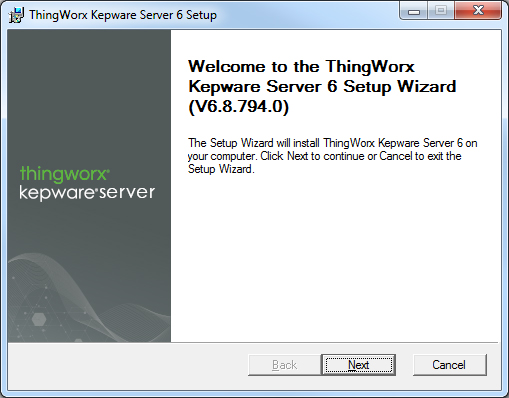
2. On the Welcome page, click Next.
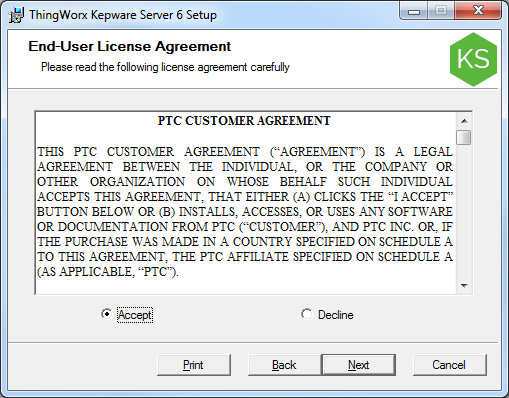
3. Accept the license agreement and click Next.
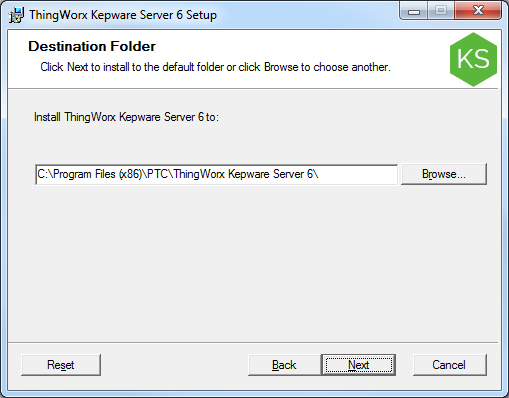
4. Accept or change the installation location and click Next.
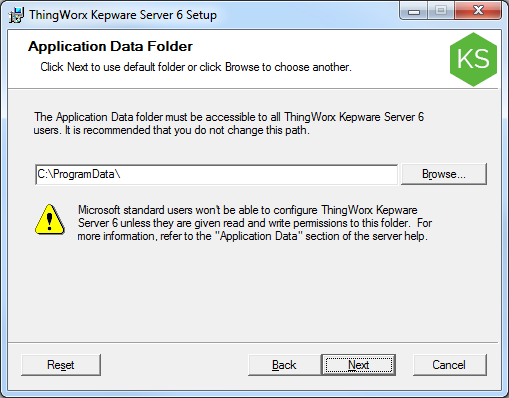
5. Accept or change the data location and click Next.
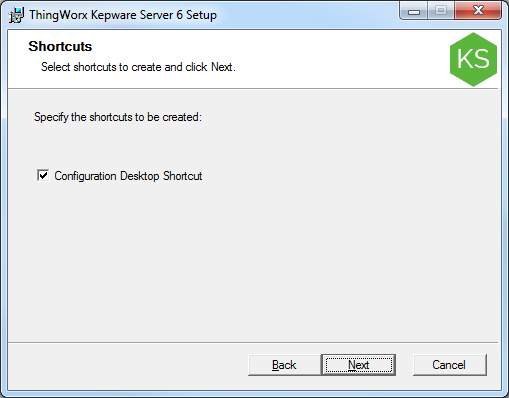
6. Accept or disable installing a shortcut on the desktop for ThingWorx Kepware Server and click Next.
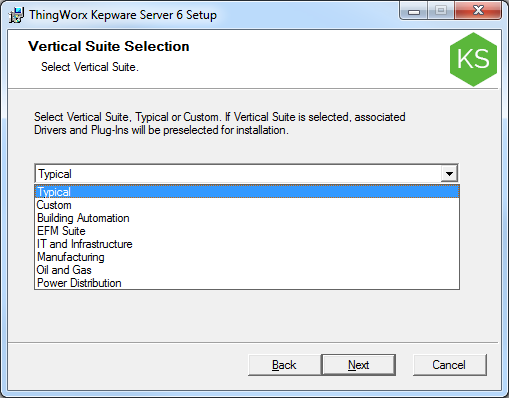
7. Select a suite if applicable and click Next.
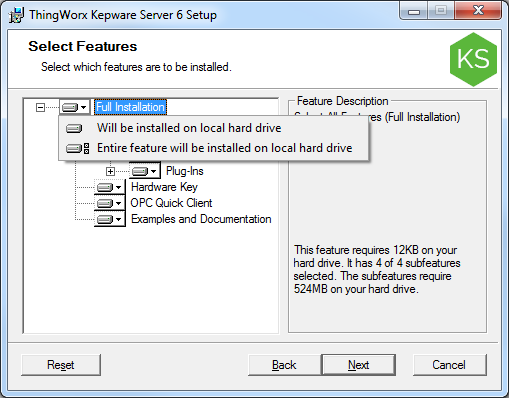
8. Click the icon to the left of Full Installation and select Entire feature will be installed on local hard drive or enable the features appropriate for your environment.
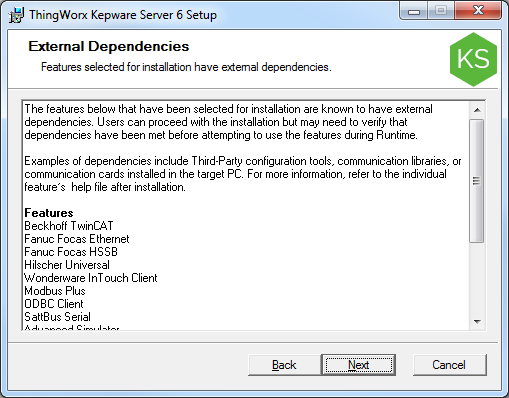
9. Verify your selections and click Next (or Back to revise).
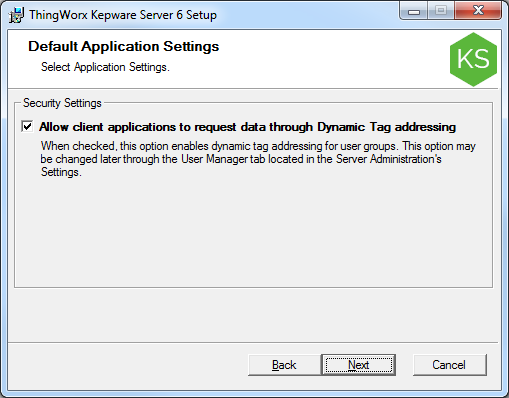
10. Enable dynamic addressing (if desired) and click Next.
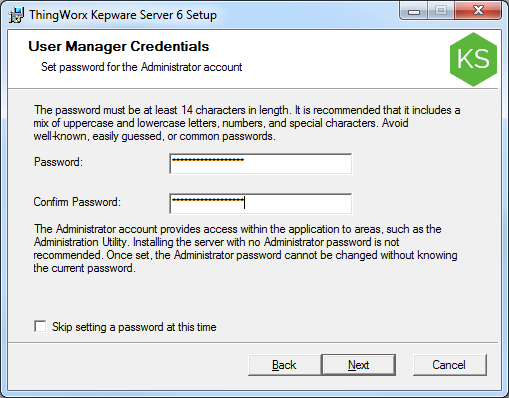
11. Set a strong administrator password (or skip at this time) and click Next.
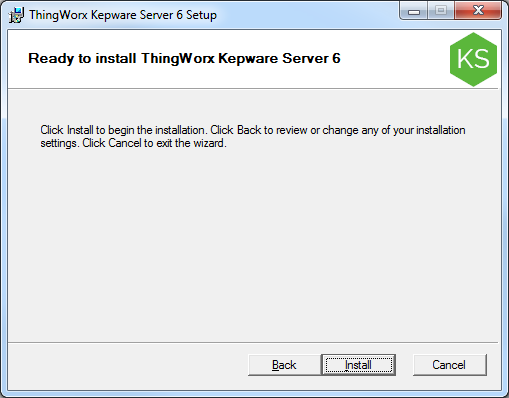
12. Click Install.
13. Click Finish.
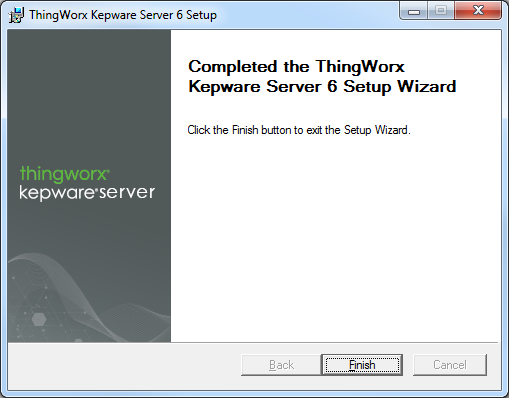
A ThingWorx Kepware Server icon appears on the desktop.

Configuring ThingWorx Kepware Server and Connecting to ThingWorx
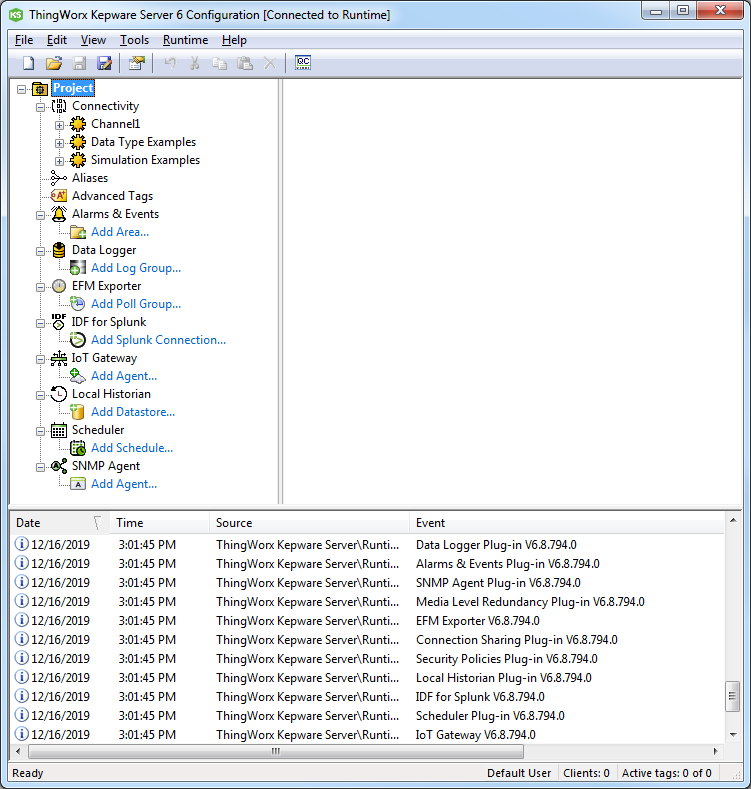
1. Run the ThingWorx Kepware Server Configuration from the desktop icon. The Configuration window opens.
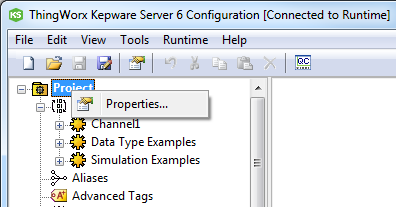
2. Right-click Project and select Properties.
3. In the Property Editor, select ThingWorx.
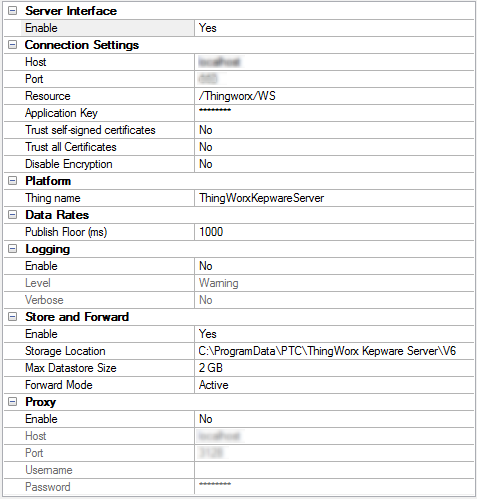
4. Configure as follows (settings that are not listed here can stay as the default):
◦ Set Enable to Yes.
◦ Host — The IP or fully-qualified domain name for your ThingWorx instance.
◦ Port — The port where ThingWorx responds (typically 80 or 443).
◦ Application Key — The Key ID from the application key created above.
◦ Trust self-signed certificates — If your platform has a self-signed certificate, change to Yes. For maximum security, set to No.
◦ Trust all Certificates — Disables or enables strict certificate checking which may be needed for some self-signed certificates. For maximum security, set to No.
◦ Disable encryption — Set it to Yes if not using SSL encryption on the platform. For maximum security, set to No.
|
|
Unencrypted communication is a security risk and should ONLY be enabled during small-scale testing, or if the environment is well secured by other means at the perimeter.
|
◦ Thing name — The name of the IndustrialGateway Thing created in ThingWorx above.
|
|
The Thing Name must match the name of the IndustrialGateway Thing name is case sensitive.
|
5. Click Apply. The ThingWorx Kepware Server will attempt to connect to ThingWorx.
|
|
During an evaluation, it may be helpful to use the Simulator Driver with ThingWorx Kepware Server for sample data and tags. See the Simulator Driver manual.
|
Binding Tags in ThingWorx Kepware Server to Properties in ThingWorx
Now that ThingWorx Kepware Server is connected to ThingWorx, locate the IndustrialGateway Thing connected to the ThingWorx Kepware Server and bind the tags in ThingWorx Kepware Server to the properties in ThingWorx.
1. Open Composer.
2. Click Browse > Industrial Connections.
|
|
Industrial Connections does not display if none are connected. If ThingWorx Kepware Server is installed but not connected, click Start Runtime Service from the ThingWorx Kepware Server icon on the desktop toolbar.
|
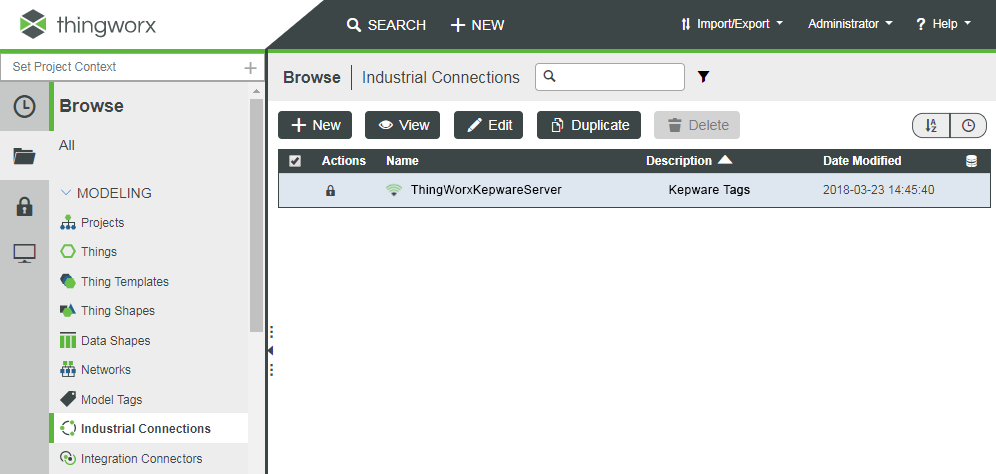
3. With ThingWorx Kepware Server running, the Industrial Connections Thing displays. If the column with the database icon does not have a checkmark, save the Thing so it is persisted.
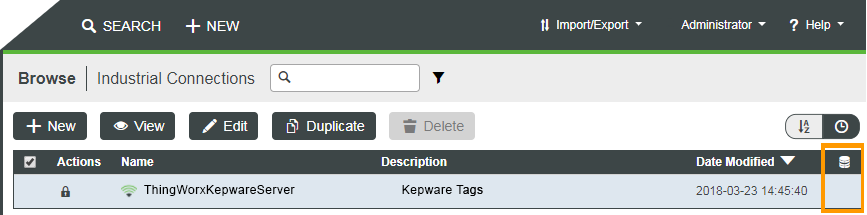
1. Click the entity name.
2. Click Save.
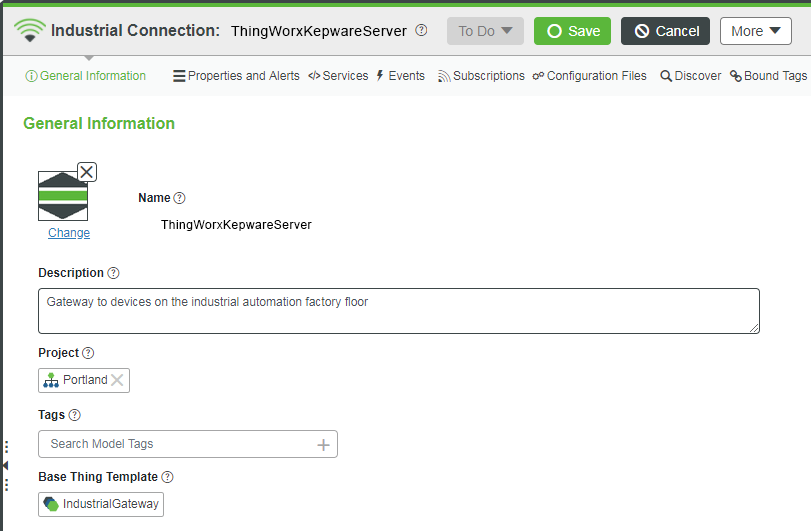
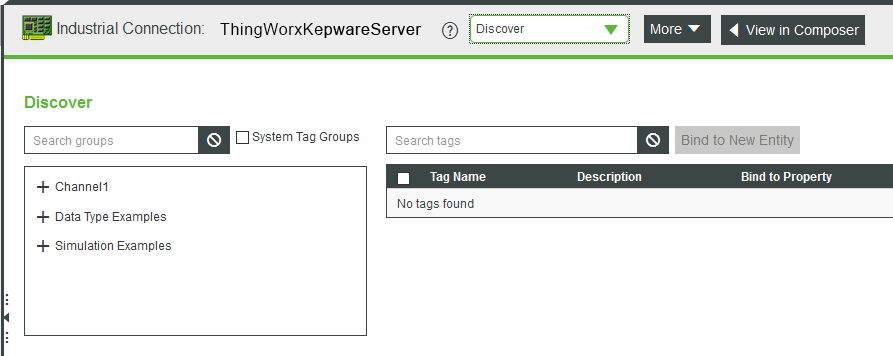
4. In the Industrial Connection header drop-down, click Discover. Click the plus sign (+) to expand channels and devices that exist in the ThingWorx Kepware Server.
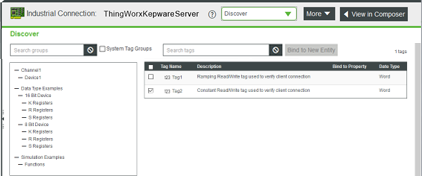
5. Clicking an individual device lists the tags available under it. Put a checkmark next to the tags you want to add to a new asset, and click Bind to New Entity.
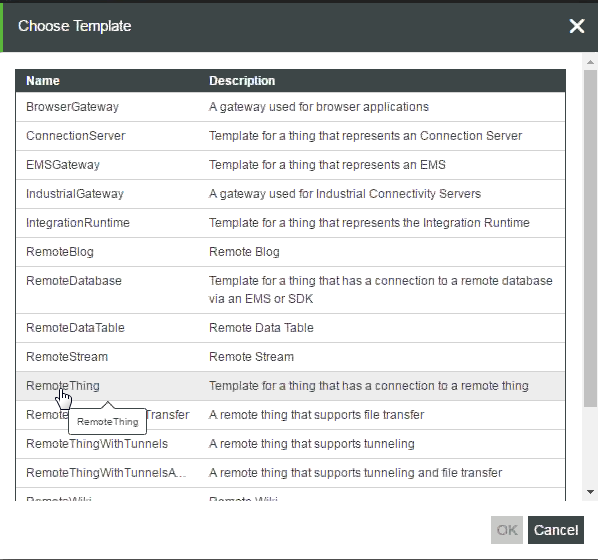
6. Choose a Thing Template and click OK.
|
|
A Remote Template type must be selected.
|
7. The new Thing creation screen displays. The configuration and binding information is configured for the new Thing to automatically connect through ThingWorx Kepware Server. Provide a Name for the Thing.
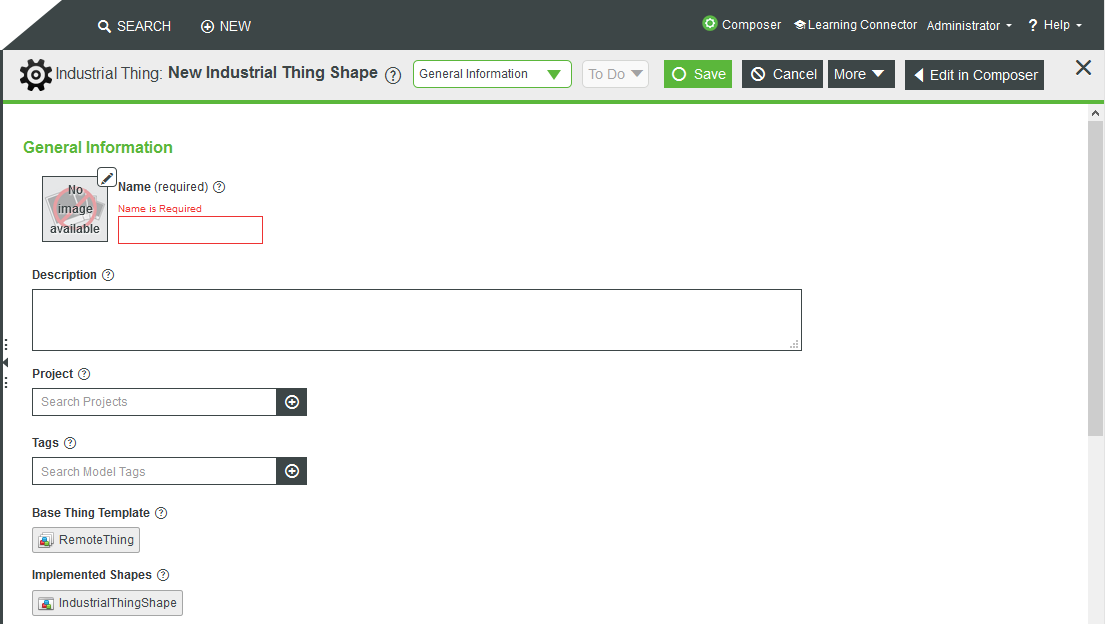
8. Click Save.
|
|
Upon saving, the IndustrialThingShape is implemented by the Thing and it cannot be removed from the Thing. Saving any Thing whose Base Thing Template is derived from a Remote Thing with the implemented IndustrialThingShape will only allow remote bindings to be tag address-based.
|
|
|
• ThingWorx does not support property inheritance on IndustrialThingShapes.
• Once a property is overridden on a Thing, any changes made on the Thing Shapes around property bindings will not be reflected. This is limited to aspects around binding. If the property base type is changed for an instance, that change will be propagated.
• The overridden property on the Thing must be deleted (essentially undo the override), and any binding-related changes made on the Thing Shape will be reflected on the Thing.
|
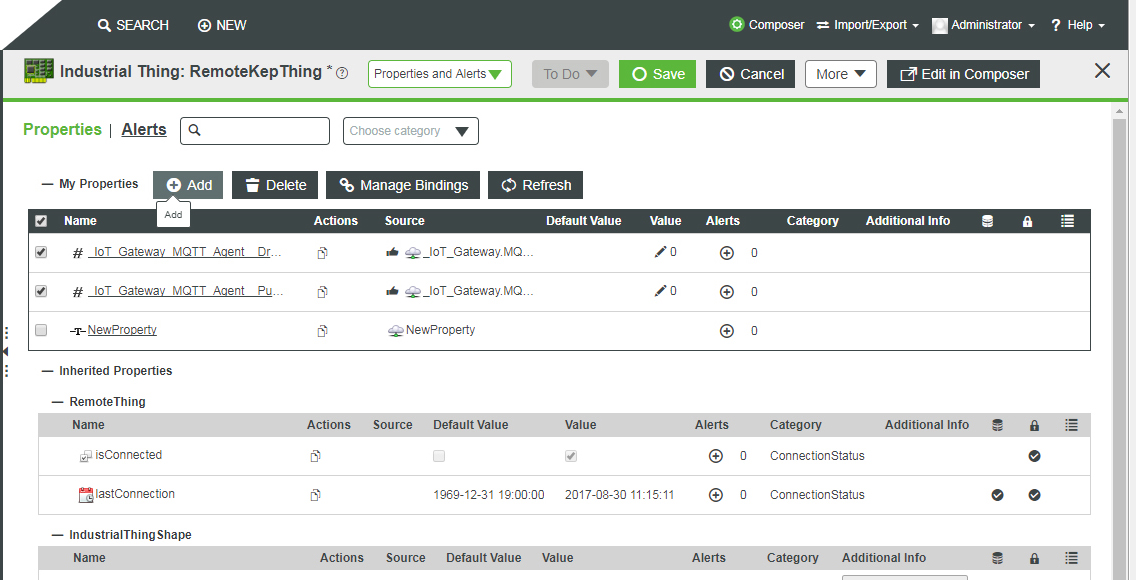
9. In the Industrial Thing header drop-down, select Properties and Alerts. Click Refresh. Values will change based on the current data from ThingWorx Kepware Server.
10. Click any property in the Name column to view or edit any property.
|
|
Infotable-type properties must have the Push Type set to Always pushed.
|
|
|
The following properties are specific to the Industrial Connections Thing:
• Tag Address: The address of the tag, as it exists in ThingWorx Kepware Server. The property name and the bound tag address do not need to be the same.
• Industrial Data Type: The data type, as it exists in ThingWorx Kepware Server. This corresponds to the base type in ThingWorx.
• Push Type: The default push type is Pushed based on value change. While the Pushed based on deadband is similar to Pushed based on value change, there is a subtle difference in the values that are pushed. For example, if the values from the device are 1,2,3, and 4 and the push type is Pushed based on value change with a Push Threshold of 2, then the value that will be pushed up from the edge is 1. However, that value does not get pushed up again because it has only changed by 1. If the push type is set to Pushed based on deadband in this same example, it will push the values of 1 and 4 because the change is between the last value that was pushed instead of the last value from the edge.
|
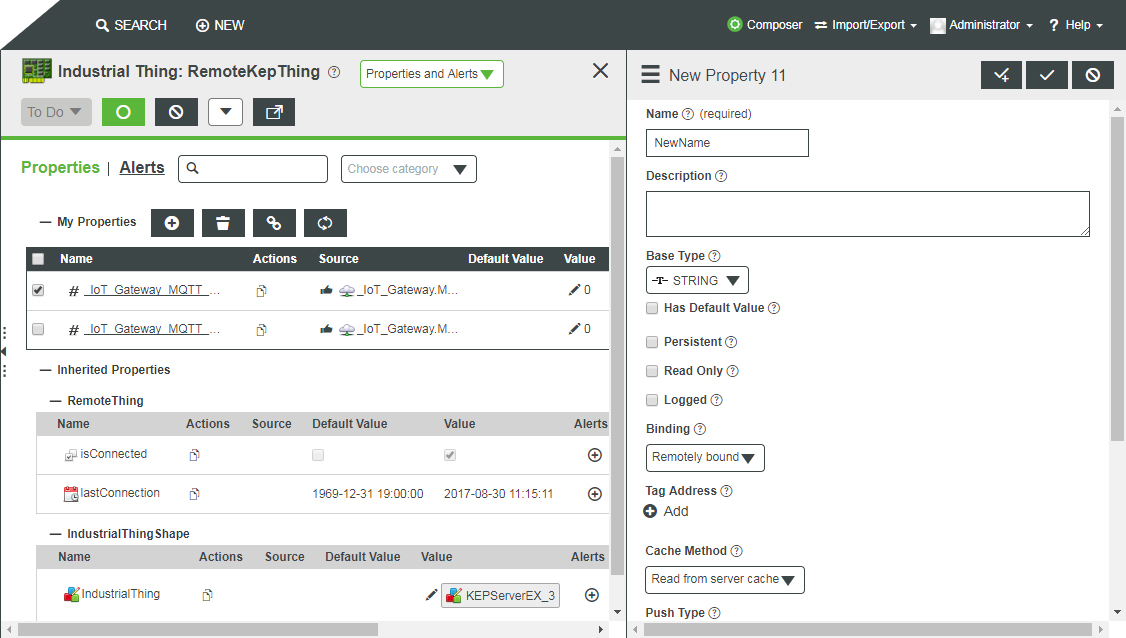
11. To bind additional tags to an existing entity, click Add to access the New Property attributes. Assign a name and other desired properties, taking care to select Remotely bound under Binding. Click Add under Tag Address to select the additional tags to bind to the selected entity.

|
|
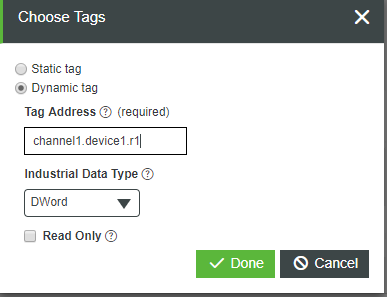
Alternately, choose the Dynamic tag option, enter a dynamic tag address, and select the Industrial Data Type before clicking Done.
|
Industrial Gateway Diagnostic Properties
There are several diagnostic properties on the IndustrialGateway that you can use to obtain status information on the ThingWorx Kepware Server.
|
|
All count properties are logged to a value stream.
|
• ActiveTagCount — the number of tags bound to properties in the platform. The number of tags being actively provided by the ThingWorx Kepware Server to all connected clients.
• ClientCount — The number of all OPC DA clients connected to ThingWorx Kepware Server.
• DateTime — The current date and time adjusted for the local time zone.
• DroppedUpdates — The number of updates that have been dropped by ThingWorx Kepware Server rather than being delivered to the platform.
|
|
This value should not be used to verify connectivity as it may be this update that is dropped.
|
• ExpiredFeatures — The names of the ThingWorx Kepware Server features, such as drivers or plugins, that expired and no longer provide data until the server run time is stopped and restarted, or until the feature is licensed.
• FullProjectName — The full name and location of the currently-running ThingWorx Kepware Server project file.
• Hostname — The hostname of the machine where ThingWorx Kepware Server is running.
• IndustrialThingCount — The number of remote things using this IndustrialGateway to provide data into the platform.
• isConnected — The connection state of the ThingWorx Kepware Server server.
• lastConnected —The last good connection time of the ThingWorx Kepware Server server.
• LicensedFeatures —The names of the ThingWorx Kepware Server features, such as drivers or plug-ins, that are licensed on this instance of ThingWorx Kepware Server.
• OpcClientNames — The names of the connected OPC DA clients, if they are provided.
• ProductName — The name of the software using the Industrial Gateway Thing Template.
• ProductVersion — The version of the software using the Industrial Gateway Thing Template.
• ProjectName — The name of the project file in use by ThingWorx Kepware Server.
• ProjectTitle — The title of the project file in use by ThingWorx Kepware Server.
• PropertyCount — The number of properties associated with RemoteThings on the platform.
• TimeLimitedFeatures — The names of the ThingWorx Kepware Server features, such as drivers or plug-ins, that are not licensed on this instance of ThingWorx Kepware Server but are providing data.
• TotalTagCount — The number of tags assigned to all clients.
• UpdatesPerSecond — The average number of updates being pushed to ThingWorx from ThingWorx Kepware Server.
Services
Use one of these services to manage Industrial Connections.
|
Service
|
Description
|
||
|---|---|---|---|
|
BrowseItems
|
The inputs are path and filter. Filter is optional.
Returns: The SourceType (for example, Word or Word Array) is the data type as defined in the ThingWorx Kepware Server and correlates to the base type in ThingWorx.
This service takes a filter as argument, allowing searches for specific tag names. The filter techniques that can be used in this filter field are:
* Wildcard - matches any set of characters.
? Single Char Wildcard - matches any single character.
[...] Inclusion character set - matches any single character included between brackets. Ranges of characters can be indicated by a dash: 'c-j'.
[!...] Exclusion character set - matches any single character not included between brackets. Ranges of characters can be indicated by a dash: 'c-j', '.
# Digit - matches any numeric character.
|
||
|
BrowseGroups
|
The inputs are path and filter. If a path is not defined, all groups are returned.
|
||
|
GetIndustrialThings
|
Returns all Things that are connected via the IndustrialGateway Thing Template. You can also view the Remote Things mashup in ThingWorx to view this information.
|
||
|
GetPropertySubscriptions
|
You can use this service (on the Remote Thing) to return aspects (properties as defined by the ThingWorx Kepware Server).
|
||
|
GetBoundItems
|
Input a number for maxItems. Returns all tags that are bound to the Thing that the service is run from.
|
||
|
GetPropertyDiagnostics
|
Available on the Remote Things that is added when using the IndustrialThingShape. This service takes the local name of a property currently bound to the Thing on which the service is run, and returns the following information:
• Description: The description field on ThingWorx Kepware Server.
• Valid — Boolean. Is the property valid on the ThingWorx Kepware Server?
• DriverFriendlyName: the name presented to users for the driver that is used to generate the tag.
• Model — The model of device under the driver that is used to generate the tag.
• Error — Boolean. Is the device in error?
• Name — The name of the address in ThingWorx Kepware Server.
• DriverPersistedName — The ThingWorx Kepware Server name of the driver used to generate the tag.
• Address: The physical address of the tag in ThingWorx Kepware Server.
• DataType — The industrial data type as ThingWorx Kepware Server sees it.
• ReadOnly — Boolean. If true, the tag is read-only.
• CurrentValue — The value of the tag when the service was executed.
• CurrentQuality — The quality of the tag when the service was executed.
• CurrentTimestamp — The time the tag was read when the service was executed.
|
||
|
GetDiagnosticDigest
|
Available on the Industrial Gateway Thing. This service takes in any tag address and returns the diagnostic information of that tag from ThingWorx Kepware Server. This is the only diagnostic service that can use either a static or dynamic address on the ThingWorx Kepware Server instance to provide information, meaning that the tag does not need to be bound to a property in the platform for this service to return results. The definition of each of the returned fields are the same as for the GetPropertyDiagnostics service (see above).
|
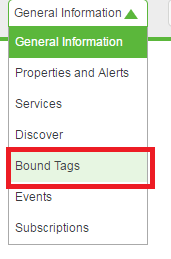
Importing Things via a CSV File
You can use the CSV import extension to import Things into ThingWorx. This extension includes an ImportRepository, ImportHelper, ImportMashup, and TestImport.csv sample file.
|
|
PTC support extensions are available on the ThingWorx Foundation downloads page..
|
1. Obtain and import the extension into ThingWorx.
2. Open the ImportMashup.

|
|
Clicking the Import Format link displays the format of the file.
|
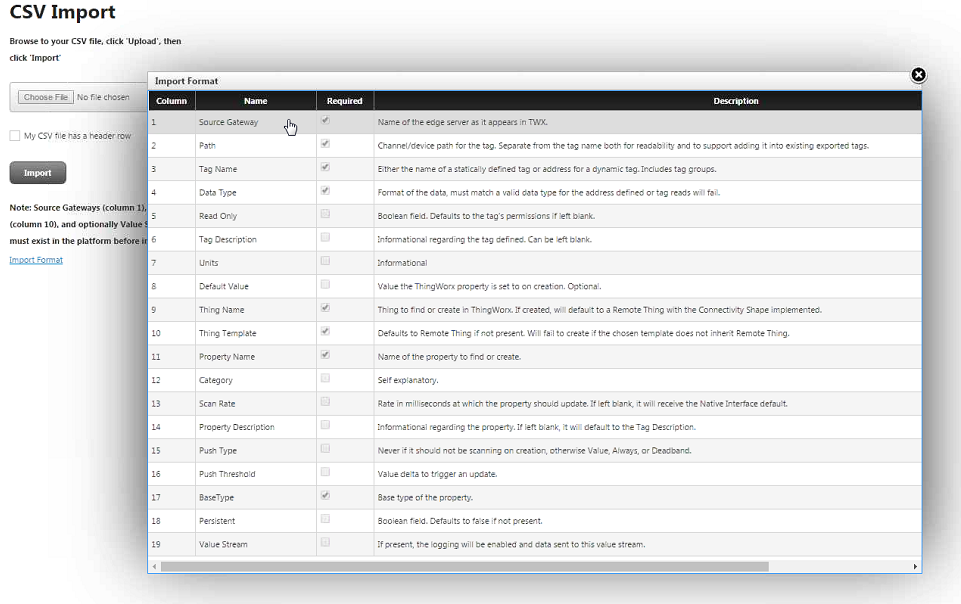
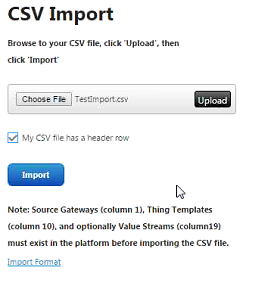
3. Click Choose File and navigate to the CSV file to import. The file is uploaded to the platform, so that the platform can read the file.
4. Click Upload.
5. If necessary, click My CSV file has a header row.
6. Click Import.
7. In Composer, you should see all Things that were imported via the CSV file.