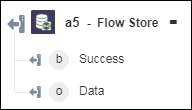
Flow Store
Use the Flow Store action to store one or more key-value pairs in the ThingWorx Flow database and retrieve it, whenever required. These keys have a local scope. Once you store a key for a workflow, you can retrieve its value within the same workflow only. It cannot be used in any other workflow.
Complete the following steps to use the Flow Store action in your workflow:
1. Click  and drag the Flow Store action under Data Store to the canvas, place the pointer on the action, and then click
  or double-click the action. The Flow Store window opens.
and drag the Flow Store action under Data Store to the canvas, place the pointer on the action, and then click or double-click the action. The Flow Store window opens.2. Edit the Label, if needed. By default, the label name is the same as the action name.
3. In the Select Action list, select an action, and do the following:
|
Action
|
Task
|
|---|---|
|
GET
|
Under the Get Data from Flow Store section, in the Key field, enter the key name to retrieve its value.
Click Add to add multiple key names. Click
 to delete any key name that you added. to delete any key name that you added. |
|
SET
|
Under the Set Data in Flow Store section, do the following:
• In the Key field, enter the key name that you want to set.
• In the Value field, enter the value that you want to assign to the key.
Click Add to add multiple key-value pairs. Click
to delete any key-value pair that you added. |
4. Click Done.
Output schema