Importing Checklists
To import checklists from a file to target org
1. Fill in the checklist details in the zipped bundle of files in CSV format and keep the file ready.
2. Click the following URL to access the Checklist Import feature: https://migrate.servicemax.com/MigrationTool/ChecklistLogin.jsp.
3. Log in to any target org using the Salesforce OAuth Login screen. The ServiceMax Checklist, Export/Import screen, is displayed, as shown in the following screen.

 |
The Search text box in the Import screen allows you to search for specific checklists quickly.
|
4. Click Import in the Checklist Import/Export screen.

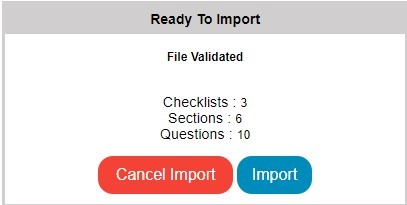
5. Select the import zip file and click Next. The ready Import screen is displayed as shown in the following screen. It displays the number of checklists, sections, and questions that are migrated to the target org.
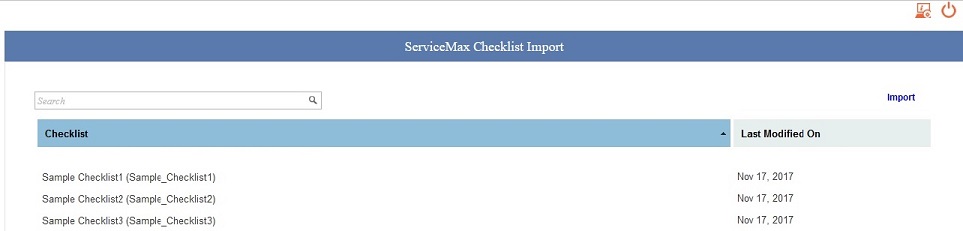
6. Click Import. A message is displayed with the number of checklists migrated to the target org and displays the Checklist Import screen with the migrated checklists as shown in the following screen.
Required Permissions for Fields and Objects
If you do not have permissions to the required objects, fields, or if some fields are missing in the required objects, then an error is displayed.
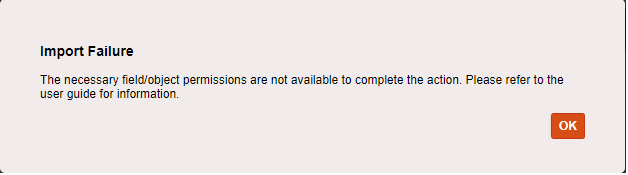
If an error is displayed, ensure that you have permissions to all the required objects, fields, and objects are available. The following objects for checklist import/export have to be assigned permissions:
• SVMXC__ServiceMax_Processes__c
• SVMXC__ServiceMax_Config_Data__c
• SVMXC__Question_Bank__c
• SVMXC__QB_Response_Set__c
• SVMXC__Page_Layout__c*
• SVMXC__Page_Layout_Detail__c
|
|
• During the import of checklist templates, the tool validates the required fields and checks whether the parent id for each parent matches the child's foreign key. For example, it checks whether the checklist ID in section CSV matches the checklist ID in the checklist header CSV. If the validation is successful, the tool imports the checklist data. If the process fails, it aborts data import and rolls back the changes. You can correct the errors and try importing again.
• Question ID must be alphanumeric and not contain any special characters.
• Ensure that you zip all the .csv files before importing them.
• Checklist Import tool supports the migration of the following advance configurations and property values associated with the checklist:
◦ Entry and exit criteria
◦ Data validation rules
◦ Pre-fill values of questions from the Source Object
◦ Attachment type questions and associated properties
◦ Source Object updates and Mappings
◦ Checklist tags
◦ Translation tags
|