Discarding an Existing Investigation
You can discard an existing Investigation and start a new one when the Installed Product linked to the current Investigation no longer matches the Installed Product on the transaction. This ensures that all Observations, Root Causes, and Solutions are correctly associated with the right product.
Discarding an Investigation is required when the Installed Product (IP) on a Work Order, Case, or Service Request has changed and no longer matches the IP linked to the Investigation. Discarding the Investigation removes all existing Investigation items, including any parts added to Solutions and notes recorded on dictionary items, and creates a new Investigation for the updated Installed Product.
To discard an existing investigation:
1. Locate the required Work Order by searching in the sidebar or selecting it from the Work Orders tab, and then click the Work Order number to open it.
The selected Work Order is displayed.
2. Select the Investigations tab.
The Investigation tab displays Investigation details, including the Installed Product name and the list of existing Observations, Root Causes, and Solutions.
Review the system message that appears when the Installed Product on the Work Order does not match the IP associated with the current Investigation.
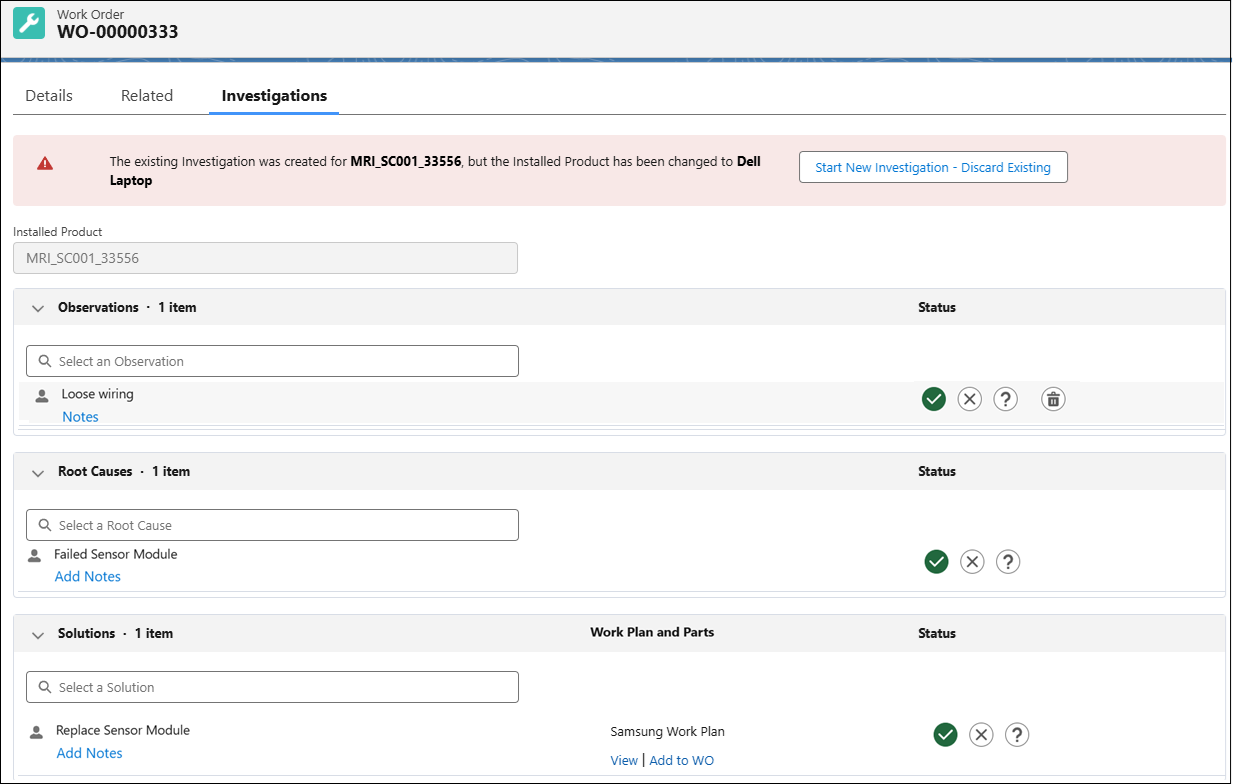
 |
The Start New Investigation – Discard Existing option appears only when the Installed Product on the Work Order does not match the IP linked to the current Investigation.
|
3. Click Start New Investigation – Discard Existing.
The New Investigation – Discard Existing confirmation window displays, asking you to confirm the action.
4. Click Discard & Start New to confirm and create a new Investigation.
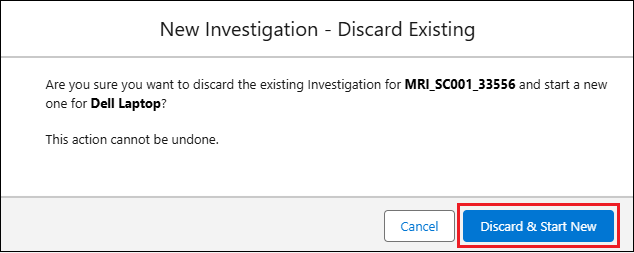
The system performs the following actions automatically:
◦ Creates a new Investigation record for the updated Installed Product.
◦ Removes all existing Investigation items (Observations, Root Causes, and Solutions), along with any associated data such as parts added to Solutions and notes recorded on dictionary items.
◦ Displays a confirmation message indicating that a new Investigation has been started for the updated Installed Product.
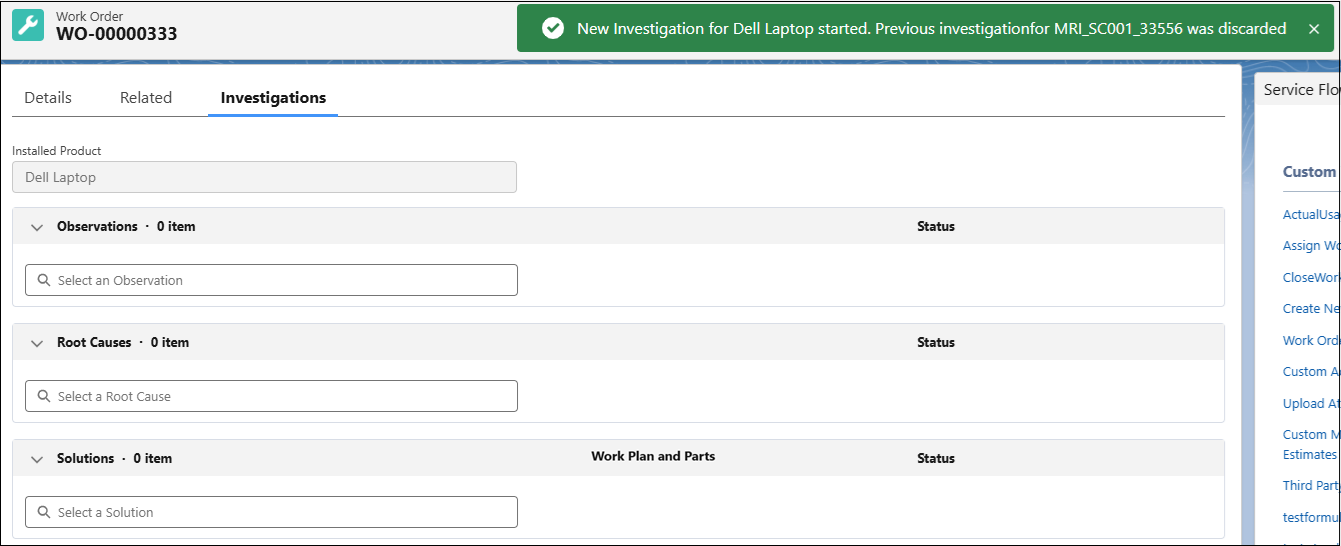
For example, if the previous Investigation was linked to Auxiliary Adapter and the Installed Product changes to Analog Converter, the system discards the old Investigation and creates a new one for Analog Converter.
|
|
The discarded Investigation remains associated with its original transaction (for example, Case or Service Request) but is no longer linked to the current Work Order.
If you choose not to discard the Investigation, the warning and Start New Investigation – Discard Existing option remain visible, allowing you to continue working on the existing Investigation, which stays linked to the previous Installed Product and retains filtering based on that product, not the current one.
|