Upgrading AI Package
After a push upgrade of the ServiceMax AI package in Salesforce, you must manually activate the remote site settings. The upgrade installs these settings in an inactive state. Activating them ensures secure communication with external AI services.
To upgrade the AI Package, perform the following steps.
1. In Salesforce Setup page, go to the Quick Find box and enter Remote Site Settings, and then click it.
The Remote Site Settings page is displayed.
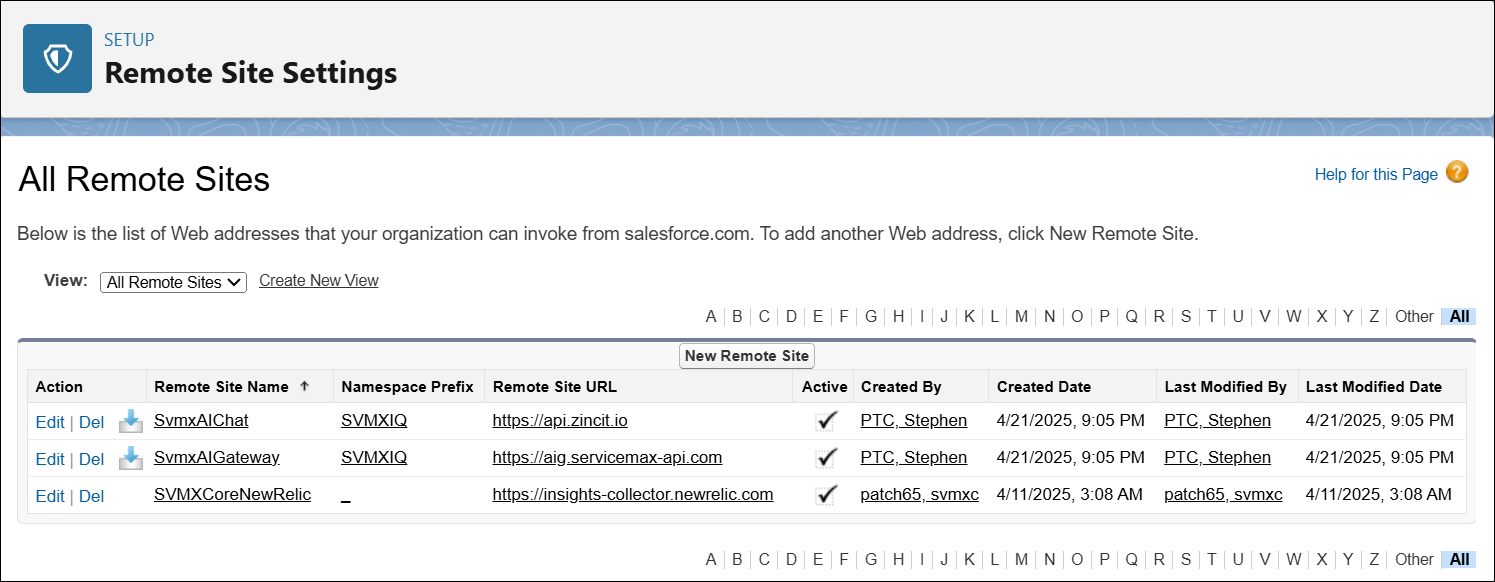
2. In the All Remote Sites section, click Edit for SvmxAIChat.
The Remote Site Edit (Managed) page is displayed.
3. Select the Active checkbox and click Save.
The SvmxAIChat setting is activated.
4. In the All Remote Sites section, click Edit for SvmxAIGateway.
5. Select the Active checkbox and click Save.
The SvmxAIGateway setting is activated.
The ServiceMax AI package now securely communicates with external AI services, and the AI Gateway and AI Chat features operate with full functionality.