Key Considerations for Grid Cells in the Item Presentation Template
When formatting grid cells in the Item Presentation Template for the Refreshed Item View, consider the following:
• If the field label is present in a grid and the corresponding field value is present in another grid of the presentation template, then the Refreshed Item View displays the field label and field value as follows:
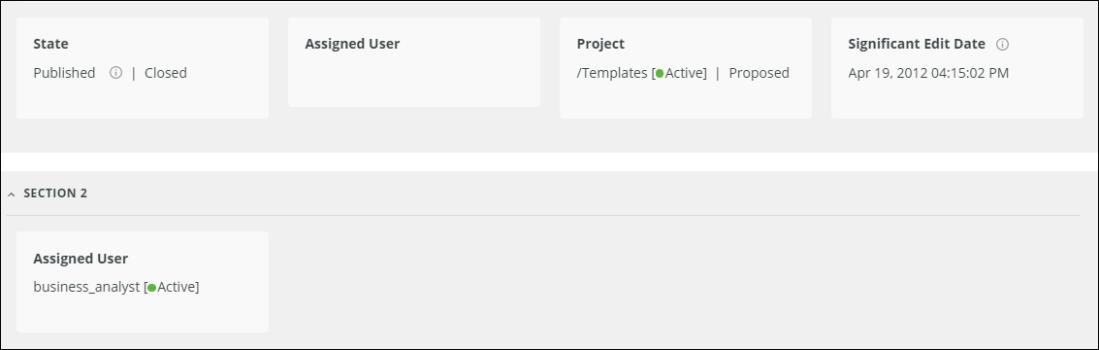
◦ The section that corresponds to the grid containing the field label displays only the field label.
◦ The section that corresponds to the grid containing the field value displays both the field name and field value.
For example, consider that the Assigned User field label is present in one grid and the field value of this field is present in another grid of the presentation template as follows:
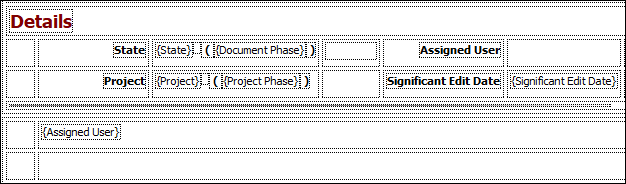
In the Refreshed Item View, the Assigned User field label is displayed in one section and the same field label with its value is displayed in another section as follows:
• If a cell contains a single field label with the corresponding field value and additional multiple field values in the presentation template (for example,  ), the Refreshed Item View displays all field values with the field label for the first field value as follows:
), the Refreshed Item View displays all field values with the field label for the first field value as follows: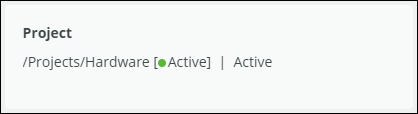
• If there are multiple field labels in a cell of the presentation template (for example,  ), the Refreshed Item View displays only the first field label as follows:
), the Refreshed Item View displays only the first field label as follows:• If there are multiple field labels and multiple field values in different cells of a grid, the Refreshed Item View displays them in a single tile. For example, if a cell in the presentation template contains two field labels and the other cell contains the corresponding field values for these field labels such as  , the Refreshed Item View displays the first field label only with field values as follows:
, the Refreshed Item View displays the first field label only with field values as follows:The field values are separated by | in the Refreshed Item View.
• If multiple field values in a cell occupy a single line in the presentation template, the Refreshed Item View based on the field type may display some fields in another line in the edit mode.
• If a single cell in a grid of the presentation template has multiple field values and if the mandatory field and the field label match, the Refreshed Item View displays the field label along with a red asterisk only for such fields.
• A single cell in a grid of the presentation template can have multiple field values. In such cases, the Refreshed Item View displays the first field label with multiple field values. These multiple field values are separated by | in the Refreshed Item View.
The following table describes the scenarios for the multiple field values in a single cell of the presentation template and how they are displayed in the Refreshed Item View:
|
Fields and Field Values in a Cell
|
Display in Refreshed Item View
|
|---|---|
|
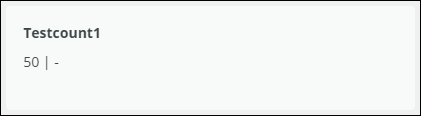
First field has a field value and the second field does not has its corresponding field value.
For example:
 |
Field value of the first field followed by |. For the second field that has no value, a hyphen is displayed to indicate that there is no corresponding field value for the second field.
For example:
 |
|
Both fields have their corresponding field values.
For example:
 |
Field values separated by |.
For example:
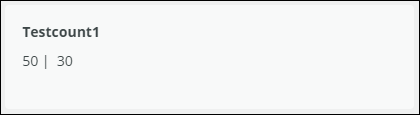 |
|
The first field and the third field do not have their corresponding field values, and the second field has its corresponding field value.
For example:
 |
Field value of the second field followed by | and a hyphen.
For example:
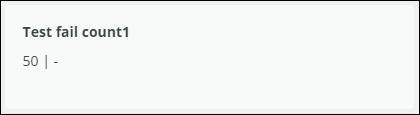 |
|
The first field and the third field have their corresponding field values, and the second field does not has its corresponding field value.
For example:
 |
Field values of the first field and the third field separated by |.
For example:
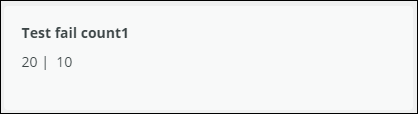 |
|
The first field and the fourth field have their corresponding field values, and the second field and the third field do not have field values.
For example:
 |
Field values of the first field and the fourth field separated by |.
For example:
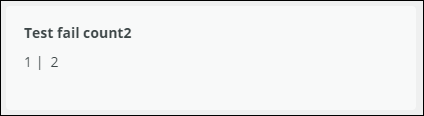 |
|
The first field and the third field have their corresponding values, and the second field and fourth field do not have field values.
For example:
 |
Field values of the first and third field separated by |. A | - is also appended at the end of the third field value.
For example:
 |
 |
• If all fields do not have field values, the Refreshed Item View displays a hyphen (-) to represent empty field values.
• When configuring multiple field values in the same cell, it is recommended to use the following simple fields:
◦ Numeric
◦ Date
◦ Pick
◦ Logical
◦ Phase
◦ Range
Rich text fields and tabular fields are not supported in such cells.
|