實行交叉反白選取
API 服務支援 ThingView 小器具與「項目清單」元件之間的交叉反白選取實行。在 ThingView 小器具上選取零件,也會選取顯示在「項目清單」上的對應零件資訊,反之亦然。
下列四個 API 可協助實行交叉反白選取:
執行下列步驟來實行交叉反白選取:
1. 配置 ThingView 小器具與零件資訊「項目清單」。
a. 配置 ThingView 小器具。
將 BuildStructurePropertyValues 服務的輸出繫結至 ThingView 的 "StructurePropertyValues" 內容。
 |
BuildStructurePropertyValues 服務的啟動事件應為 ThingView 小器具的「已載入」事件。
|
b. 配置零件「項目清單」。
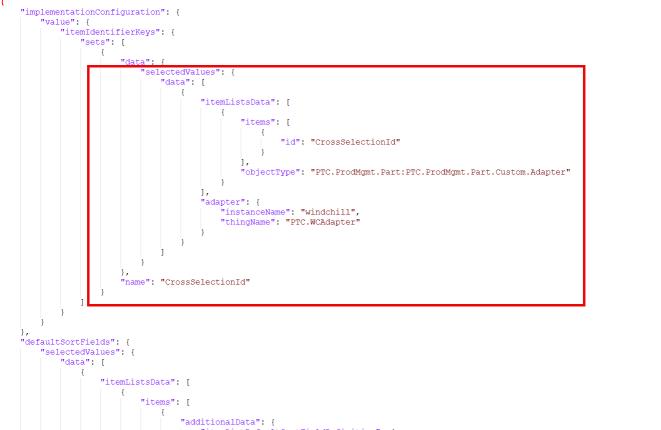
GetEnterpriseOperationDetails 服務會傳回包含名為 "CrossSelectionId" 之欄位的資料。這是為了支援交叉反白選取。
在用於配置「項目清單」的 JSON 中指定下列項目:
2. 實行從 ThingView 小器具到零件「項目清單」的交叉反白選取。
a. 將 GetSelectedItemsFromSelectedParts 服務繫結至 ThingView 小器具與零件「項目清單」元件。
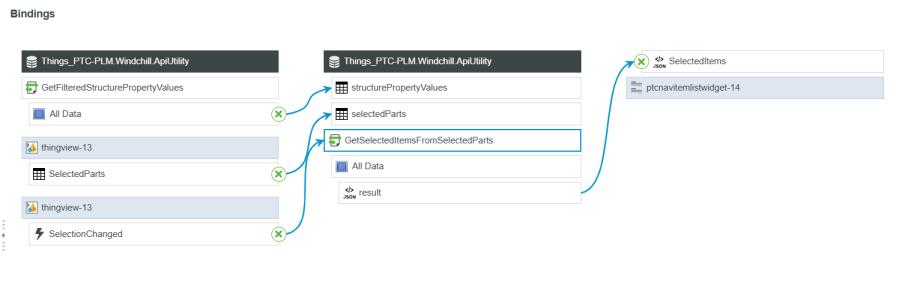
GetFilteredStructurePropertyValues 服務的輸出必須作為 GetSelectedItemsFromSelectedParts 服務的輸入。
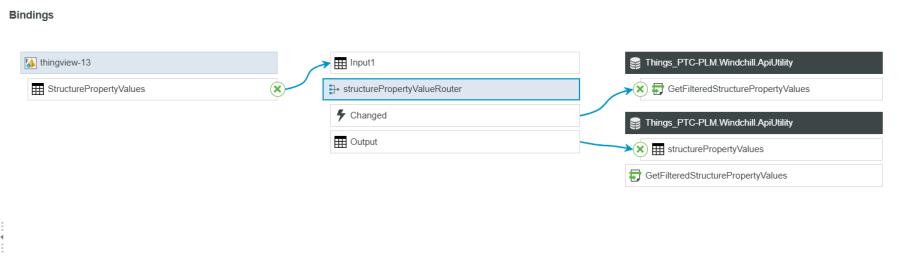
b. 以下是 GetFilteredStructurePropertyValues 服務的繫結:
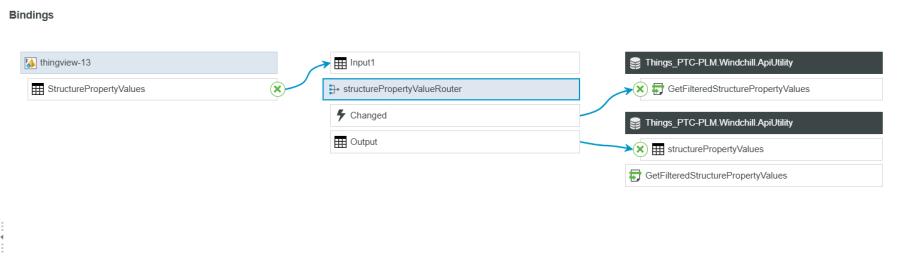
c. 以下是 "structurePropertyValuesRouter" 的繫結:
3. 實行從零件「項目清單」到 ThingView 小器具的交叉反白選取。
將 GetSelectedPartsFromSelectedItems 服務繫結至 ThingView 小器具與「零件項目清單」。
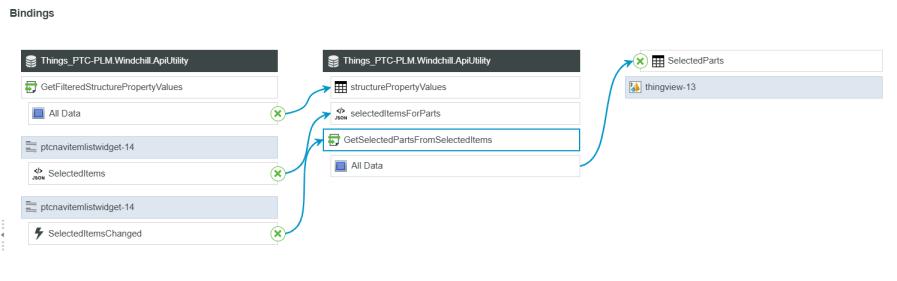
此服務需要針對其 "structurePropertyValues" 參數來自 GetFilteredStructurePropertyValues 的相同輸出。