Verify Link
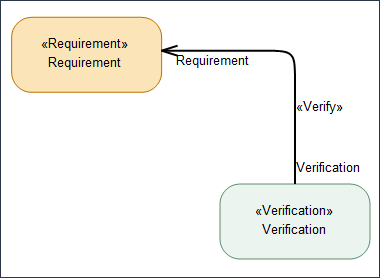
The Verify link in SysML2 is a formal relationship that connects a Verification case usage to a Requirement usage. Its purpose is to show that a specific verification activity is intended to confirm that a requirement has been satisfied.
Creating a Verify Link
To create a Verify link between a Requirement usage and a Verification case Usage:
1. On the System Structure Diagram ribbon toolbar, in the Flows section, click the  Verify button.
Verify button.2. On the diagram, click the Verification usage item and then click the Requirement usage item.
When you drag the Verify link from the Package browser to the diagram, it takes the shape of a box, called as Box Verify. You can also create this box when you click the Box Verify button location on the System Structure Diagram ribbon toolbar.
