Showing and hiding compartments on a System Structure Diagram
You can use the Show/Hide Compartments option to show and hide compartments on the System Structure Diagram. Compartments are Roles and Properties that are for items available in a particular profile.
Show or Hide compartments on a System Structure Diagram
To show or hide compartments on a System Structure Diagram, perform the following steps:
1. On the System Structure Diagram, right-click on a SysML2 item and select Show/Hide Compartments. the Compartments to display dialog opens.
2. At the bottom of the dialog, from the Filter list, select SysML 2 Profile. The dialog now displays all Properties and Roles only related to SysML2.
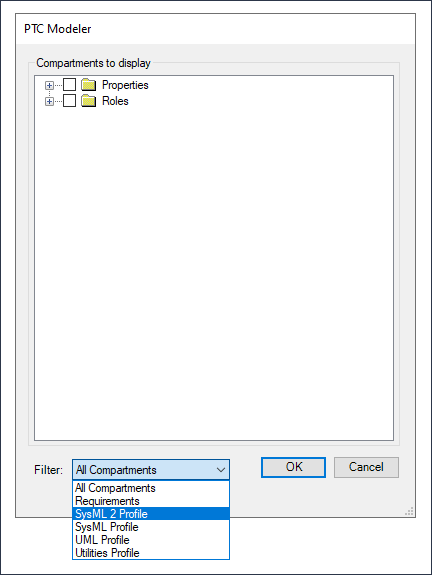
3. Select the Properties and Roles that you want to hide or show and click OK.