Connector (SysML relationship)

A Connector specifies a relationship between Block Properties through which items can flow.
Create a Connector between a Block Property, Flow Port, Full Port or Proxy Port and another Block Property, Flow Port, Full Port or Proxy Port in the following ways:
• In a Modeler pane:
◦ Right-click one of the items that is to be linked by the Connector, point to Links, point to Structure, and then click Connected To or Connected From. From the links editor select the other item that is to be linked by the Connector, and the click Link.
◦ Right-click one of the items that is to be linked by the Connector, and then click > . Right-click the other item that is to be linked by the Connector, and then click > . From the Relationship list, select Connected To or Connected From as appropriate.
• On an Internal Block Diagram, click the Connector button, click the start item, and then click the end item.
Connector button, click the start item, and then click the end item.All Connectors are shown in the  Dictionary pane - expand the SysML folder, and then expand the Connectors folder.
Dictionary pane - expand the SysML folder, and then expand the Connectors folder.When shown on an Internal Block Diagram, a Connector's notation is as follows:
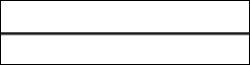 Shallow Connector
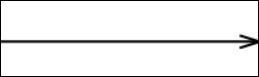 Shallow Uni-Directional Connector
After creating a Connector, you can create Item Flows that are realized by the Connector: on the diagram's tab, click the  Item Flow button, and then click the Connector.
Item Flow button, and then click the Connector.To add a missing Connector: on the Internal Block Diagram's tab, click the Shallow Connector or  Shallow Uni-Directional Connector button, click the start Block Property or port, and then click the end Block Property or port. The context menu that appears lists Connectors that exist between the two items you clicked.
Shallow Connector or Shallow Uni-Directional Connector button, click the start Block Property or port, and then click the end Block Property or port. The context menu that appears lists Connectors that exist between the two items you clicked.To populate all missing connectors: right-click the diagram background (not within the Block if shown), point to Populate, point to Links, and then click Connectors. To populate missing connectors associated with a Block Property or port, right-click the Block Property or port, point to Populate, point to Links, and then click Connectors.
Note that a Connector created between items in context, cannot not be populated between those same items in a different context. In the following example, the Connector shown in Block1 cannot be populated in Block4 because the Block Properties in Block4 are in a different context to those in Block1. However, if you use a Shallow Connector button to add a new Connector between BlockPropertyA and BlockPropertyB in the context of Block4, the context menu that is opened will allow you to add the Connector in the new context, because the Connector is defined in BlockProperty1's type (Block1).
Shallow Connector button to add a new Connector between BlockPropertyA and BlockPropertyB in the context of Block4, the context menu that is opened will allow you to add the Connector in the new context, because the Connector is defined in BlockProperty1's type (Block1).
Also, the Complete Connector and Complete Binding Connector allows the user to create ports at each end of the connector for the same operation.
The following sections provide information about how a Connector is used in the model. For more information about a SysML diagram or item - click it.
Owned by


 |
A Connector is owned jointly by the two items it links, that is, if either item is deleted the Connector is deleted as well. The access permissions you have to a Connector are determined by the access permissions you have to the item at the start end of the Connector.
|
Owns
 Allocate - the Allocate is owned jointly by the Connector and the associated item. The access permissions you have to an Allocate are determined by the access permissions you have to the item that is allocated from - you require write access to both items to create or delete an Allocate.

 Refine (UML Standard profile) - the Refine relationship is owned jointly by the Connector and the associated item. The access permissions you have to a Refine relationship are determined by the access permissions you have to the refined item.
 Satisfy - the Satisfy relationship is owned jointly by the Connector and the associated Requirement. The access permissions you have to a Satisfy relationship are determined by the access permissions you have to the Connector.
 Trace (UML Standard profile) - the Trace relationship is owned jointly by the Connector and the associated item. The access permissions you have to a Trace relationship are determined by the access permissions you have to the item that is traced from.
 Verify - the Verify relationship is owned jointly by the Connector and the associated Requirement. The access permissions you have to a Verify relationship are determined by the access permissions you have to the Connector.
Shown on these diagrams

SysML Properties
• allocatedFrom - lists source items that are linked through Allocate relationships (on Allocated tab when item is allocated).
• allocatedTo - lists target items that are linked through Allocate relationships (on Allocated tab when item is allocated).