Using the decomp Keyword
The keyword decomp is useful when you have very long symbolic results. Using this keyword, you can simplify the display of long results in a structured way. The keyword decomp decomposes the expression into parts, replacing elements like coefficients, powers, or repeated terms with generated variables.
• The following expression, due to its length, can be difficult to analyze.

• Use the keyword decomp to decompose such expression and gain a better understanding of the result structure.
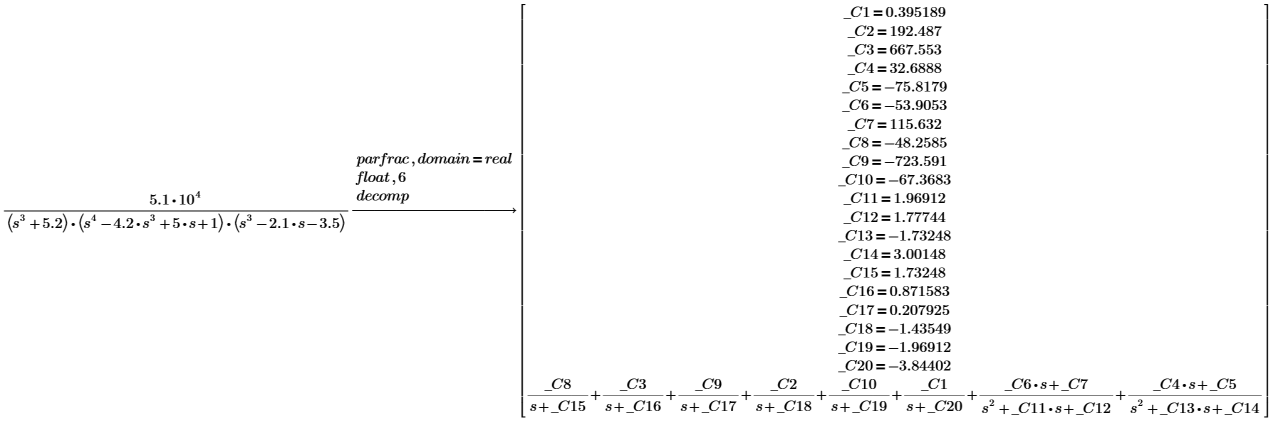
• In some cases, the result expression is too long to display. PTC Mathcad Prime calculates the expression; however, because it is too long to display,it is impossible to analyze it.

• Using the keyword decomp reduces the result to a length that allows PTC Mathcad Prime to display it, replacing expressions from the results with generated variables. After using decomp the structure of the expression is visible.
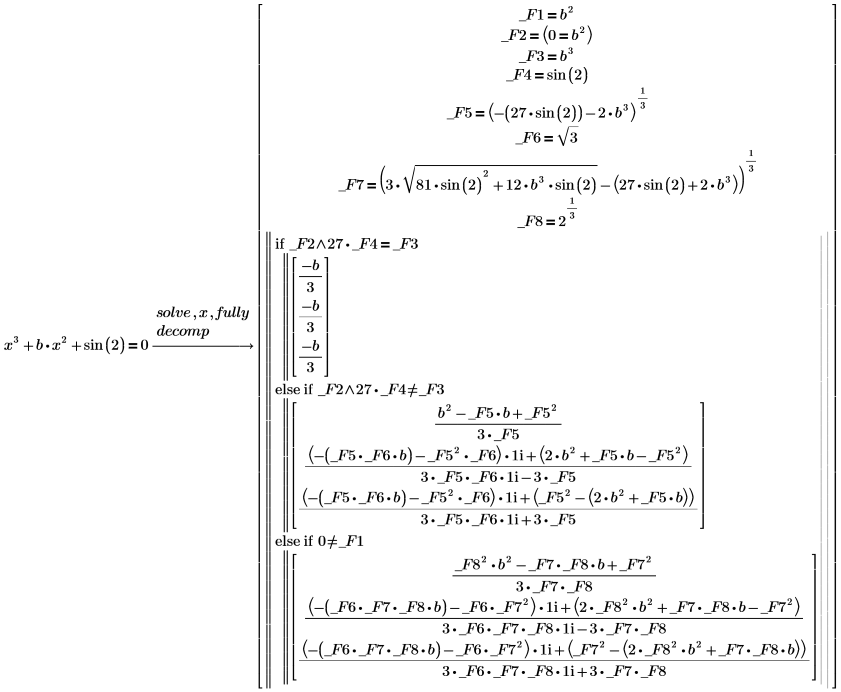
Using Modifiers with decomp
The keyword decomp works with the following modifiers:
• coeff — Replaces all numeric coefficients in the expression with generated variables during the decomposition.
• power — Replaces all numeric powers in the expression with generated variables during the decomposition.
• func — Identifies and replaces repeated expressions in the decomposition with generated variables.
• parts — Displays only the generated variables and their definitions after the decomposition.
• expr — Displays only the rewritten expression using the generated variables after the decomposition.
• max — Performs additional steps for greater simplification or refinement.
Using decomp with the Modifiers parts and expr
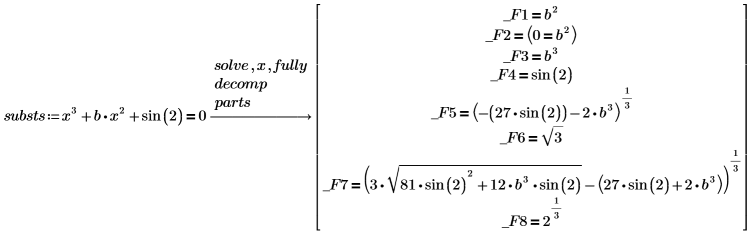
• To work with repeated expressions, use the modifier parts. Assign the result to a variable called substs, so you can use it later in this example.
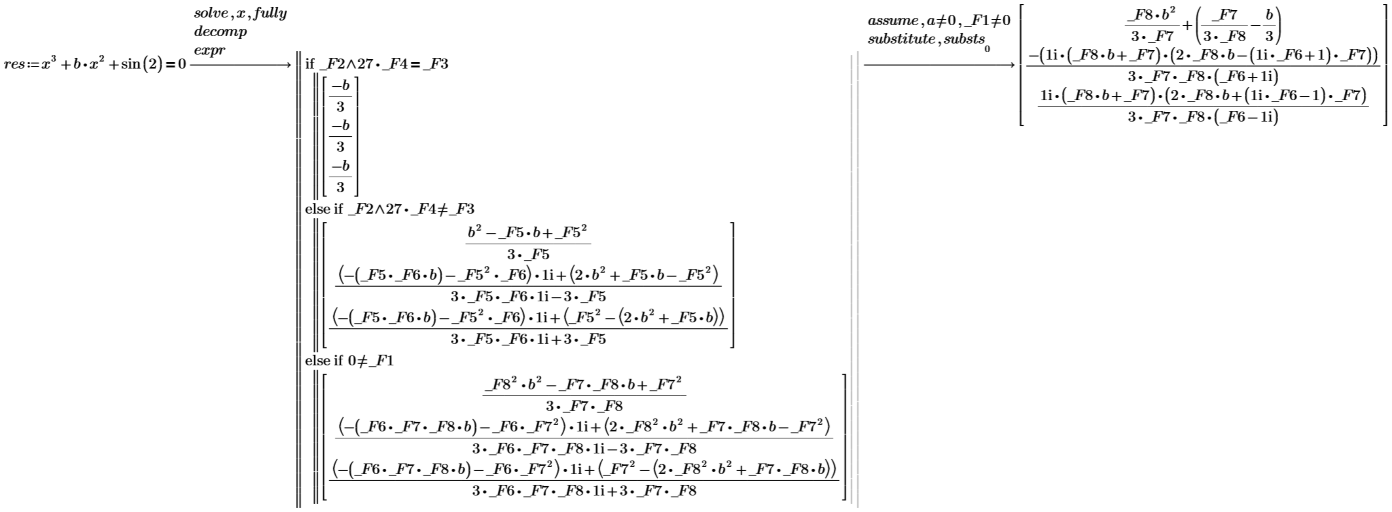
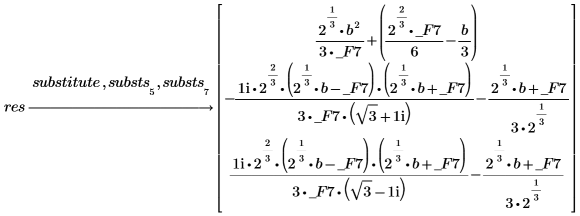
• To work with the result expression, use the modifier expr and use the keyword assume to extract the condition that you are interested in. You can also return to the original terms by using the keyword substitute.
• You can also use the keyword substitute if you want to avoid specific substitutions. For example, to avoid the following two generated variables:


• Use the keyword substitute.
Using decomp with the modifiers coeff and power
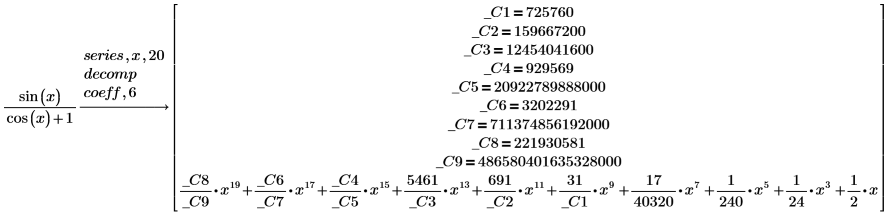
• Use the coeff and power modifier to customize the substitutions of numeric coefficients and powers. You can insert a number after the modifiers coeff and power indicating the number of digits on which the substitution will be performed. The default is 3.

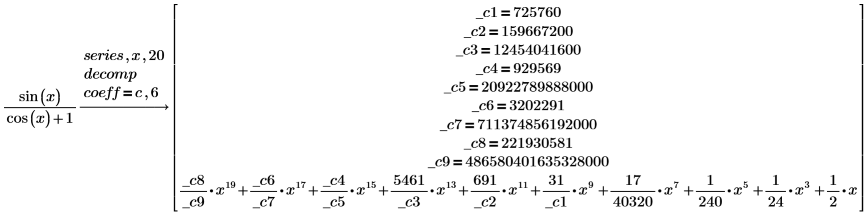
• Change the name of the generated variables by specifying a new name.

Using decomp with the func modifier
Use the func modifier to identify and replace repeated expressions in the decomposition. The name of the generated variables can be changed to a new one as shown below:

Using decomp with the max modifier
Use the max modifier with the decomp keyword to further simplify the expression. This will replace expressions that are already assigned to a generated variable with other generated variables. The result expression is not affected by this modifier.

