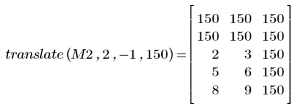
Example: Translating Images
Use the translate function to move an image within its matrix. The returned matrix contains the translated image and is the same size as the input matrix.
For information on using this example, refer to About Image Processing Examples.
1. Read in a sample image.

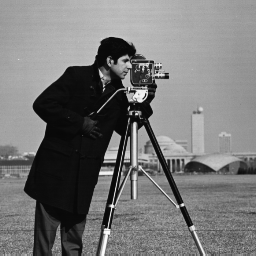
(camera.bmp)
2. Translate the image upwards by 50 rows, rightwards by 89 columns, and pad with black pixels (0).


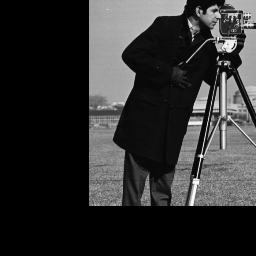
(camera_xlated.bmp)
When the image is translated, the empty region is padded using the defined pad value. The part of the matrix that is moved outside of the original matrix bounds is discarded.
3. To view the result of translate mathematically, construct the following matrix:
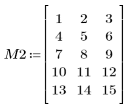
4. Apply translate to M2: