Server Projects
Project Settings
Project files define the configuration of a Kepware server, including the interfaces with OPC UA, ThingWorx, .NET, DDE, etc. To access the project settings, navigate to a site, then a server. At the server level, the settings can be accessed through the Project Node in the tree, by right-clicking the three-dot menu and selecting Settings.
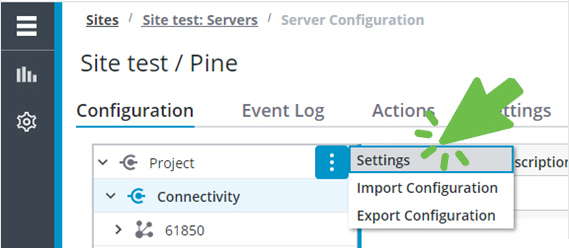

 | The sections and settings correspond to those in the Kepware server project property editor. |
Export Projects
Because a project defines the configuration of a Kepware server, the ability to import and export the files allows users to save, share, duplicate, test, standardize, and deploy those server configurations in a portable JSON file format.
Export Configuration is accessed through the Project Node in the tree, by right-clicking the three-dot menu and selecting Export Configuration.

| | Exported JSON projects are downloaded through the web browser to the default location, typically the user Downloads directory. |
Import Projects
Import Configuration is accessed through the Project Node in the tree, by right-clicking the three-dot menu and selecting Import Configuration
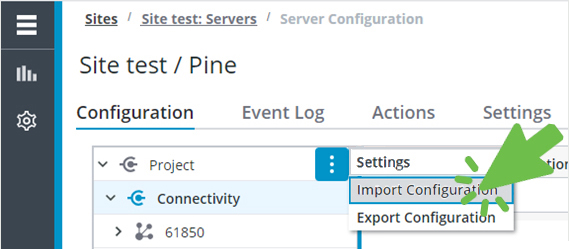
Verify for format is set for JSON, then use Browse to locate the project file to be imported.

| | Project validation provides feedback if there are format, version, or syntax issues. |