Real-Time Override Mode
The Scheduler supports the ability to deviate from the scheduled polling with an “Override” Mode that allows devices to be temporarily polled as high priority without changing their default schedule. When a device is in Override Mode, the schedule’s recurrence and exception settings are ignored and the device is polled as highest priority for the “real-time override period” within the schedule configuration. Real-Time Override is active for the time set in the Real-Time Schedule Override (Seconds) field of the schedule properties. For more information, see Schedule Properties.
To enable or disable Real-Time Override:
1. Select the device in the Project View of the Configuration.
2. Right-click and select Properties….
3. Enable/disable Real-Time Override.
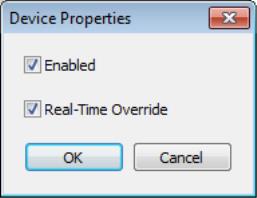
4. Click OK to close.
5. Verify that the Event Log View confirms the device was correctly enabled or disabled.
