Defining and Editing Tags
Static and dynamic tags must be associated with a schedule for the Scheduler to determine which tags from a device should be polled. Tags added to schedules or devices can be edited by right-clicking and selecting Properties….
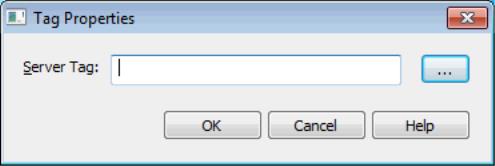
Server Tag: This setting specifies the fully-qualified name of the referenced server tag for the selected schedule. Enter the server tag or click the Browse (…) button to use the Tag Browser to locate and select a tag. When adding tags to a device, the channel and device names are automatically populated. This parameter must contain at least one character that is not either an underscore (‘_’) or a period (‘.’). The maximum length of field is 256 characters. Dynamic addresses may also be used to specify a server tag (see server help for more information).
 Notes:
1. Each server tag may only be specified once per schedule; however, the same server tag may be specified in multiple schedules. Only device tags may be configured for scheduled polling; system and internal tags (from the host system where the Scheduler is installed) may not be added to a schedule.
2. There are several ways to add multiple tags to a schedule. For more information, see Add Devices.
3. The Scheduler automatically disables scanned reads when a device is associated with a schedule; the client-requested read update rate is ignored for ALL tags in the device whether or not all the tags are scheduled. For explicit client-read requests, no device read occurs and the data is updated with the latest scheduled read value. For unscheduled tags, the server performs a device read and returns the latest value. The server only performs device reads through the scheduler (scheduled, demand, and override polls) to consolidate demand on devices. Client-requested writes are processed according to a channel’s write optimization settings.
Adding Real-Time Tags
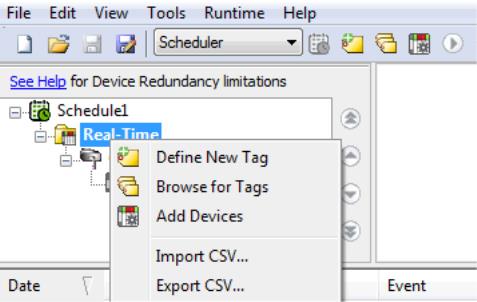
To add tags to a Real-Time folder, select or right-click on the folder and select either: Define New Tag, Browse for Tags, Add Devices, or Import CSV. Adding tags to the Real-Time folder automatically sorts them into channels and devices. System and Internal tags cannot be scheduled.